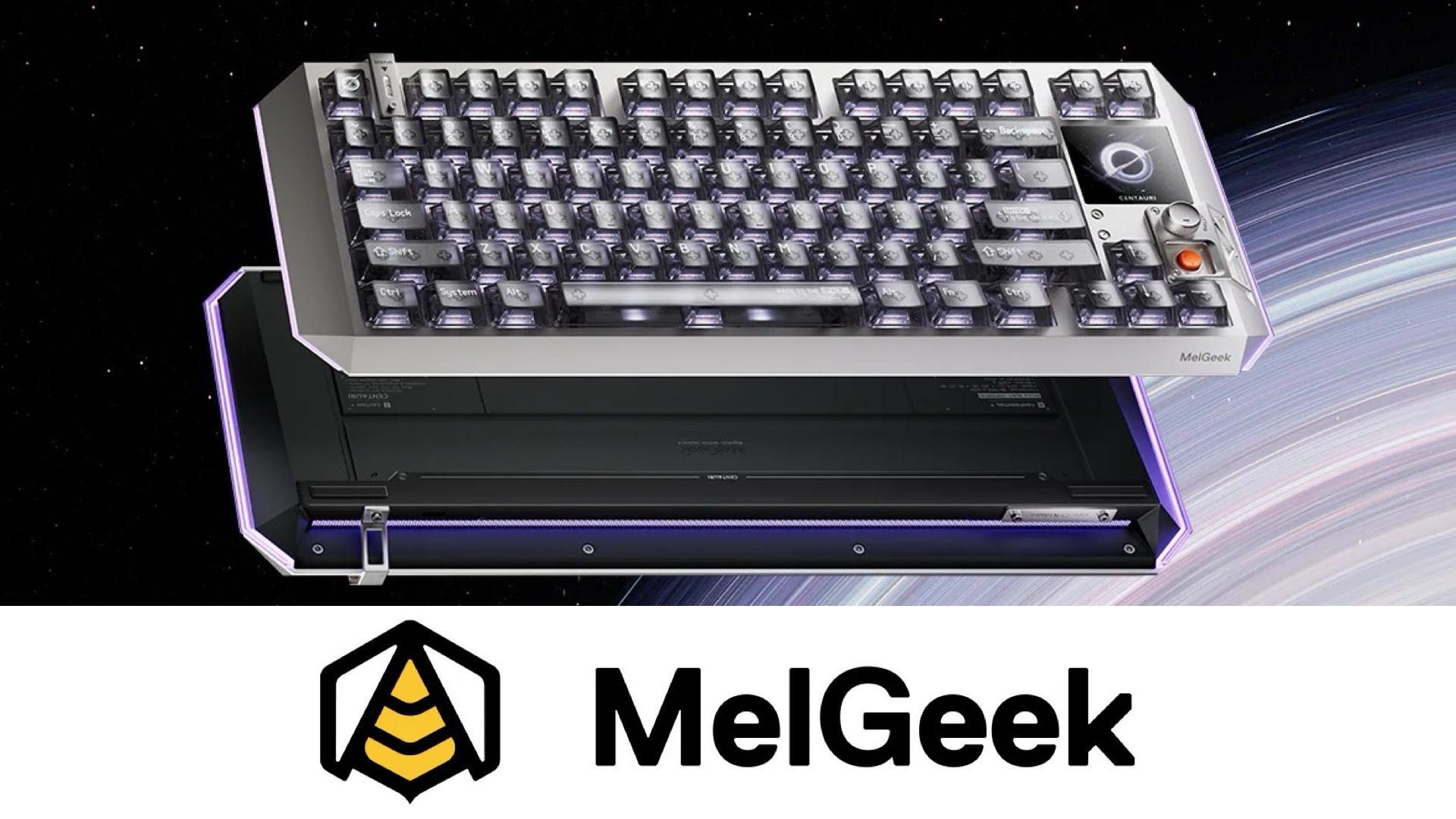
I’ve been a console gamer for years, so I’m still learning about PC hardware. Recently, I was introduced to MelGeek, a company based in China, and their top-of-the-line Centauri80 keyboard. It’s safe to say they’ve definitely caught my attention as I switch over to PC gaming.
The Centauri80 immediately stands out with its striking design. However, serious PC gamers know that looks aren’t everything, and performance is what truly matters.
The MelGeek Centauri80 is definitely a bit of an investment, and it’s clearly designed with aesthetics in mind. But does it live up to the hype and become your daily driver? After using it for a couple of weeks, I can say it has – I’ve already switched to it permanently and I’m really happy with it so far.
Out of the Box Great, But Fine-Tuned to Your Liking
I was really impressed with the MelGeek Centauri80 from the moment I got it. The packaging was excellent, shipping was smooth and problem-free, and the keyboard box felt high-quality, sleek, and very well-protected.
Even before opening the box, it’s clear this keyboard has a space or sci-fi theme, and the packaging feels high-quality, like you’re getting a premium product. Inside, you’ll find the usual accessories: a keycap puller, instruction manual, extra keycaps, a USB-C cable, and some fun stickers. It also includes a handy microfiber bag to protect the keyboard when you’re not using it.
The Centauri80 only connects via USB-C, as it doesn’t offer wireless or Bluetooth. While I personally don’t need wireless connectivity, it’s something to keep in mind if you do. Once plugged in, it worked right away, letting me immediately start customizing and adjusting the settings to my liking.
The large red button on the Centauri80 opens the web-based version of MelGeek Hive, the app you use to customize your keyboard. You can also download the app for your computer, which I did because I like having a desktop shortcut. I found the MelGeek Hive app to be exceptionally easy to use, with a great design, but it still offers plenty of advanced options. It’s honestly the best keyboard customization app I’ve ever used.
If you’ve used gaming keyboards with companion software before, you’ll find most of the features here are familiar – things like remapping keys, adjusting how sensitive the keys are, customizing lighting, and creating different profiles. However, this keyboard offers a few unique options. You can configure it to match the setups used by professional esports players, fine-tune the control wheel and red button, and even customize how the software looks and behaves.
I’ve been using this board for a couple of weeks now, and I’m so impressed that I’ve completely switched to it – I couldn’t be happier with my decision.
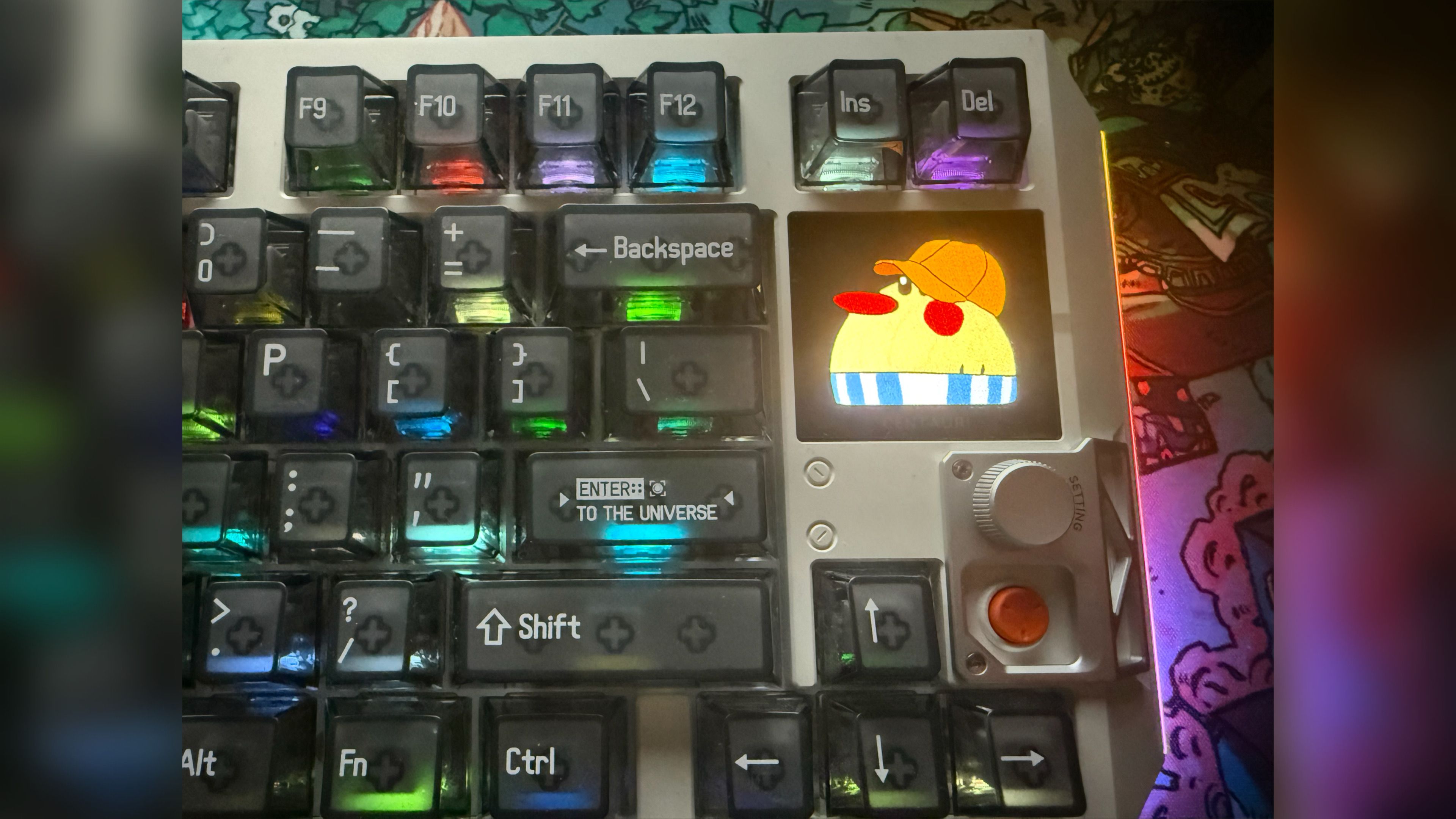
One of the coolest things about the Centauri80 is definitely the touchscreen. I’ve messed around with boards that have screens before, but none of them let you actually touch the display. This one is a game changer! I can adjust settings while I’m in the middle of everything, which is super handy. Plus, I can even program it to act like four extra buttons on my keyboard – seriously, it’s so easy to set up and adds a ton of functionality. It’s a really neat feature and I’m loving it.
I also want to mention the smooth firmware update I received through the app. It downloaded and installed without any issues, and a helpful pop-up clearly explained what the update fixed, using simple language anyone familiar with computers would understand. It’s those thoughtful touches that really set this keyboard apart in the premium market.
Out of This World Form Factor
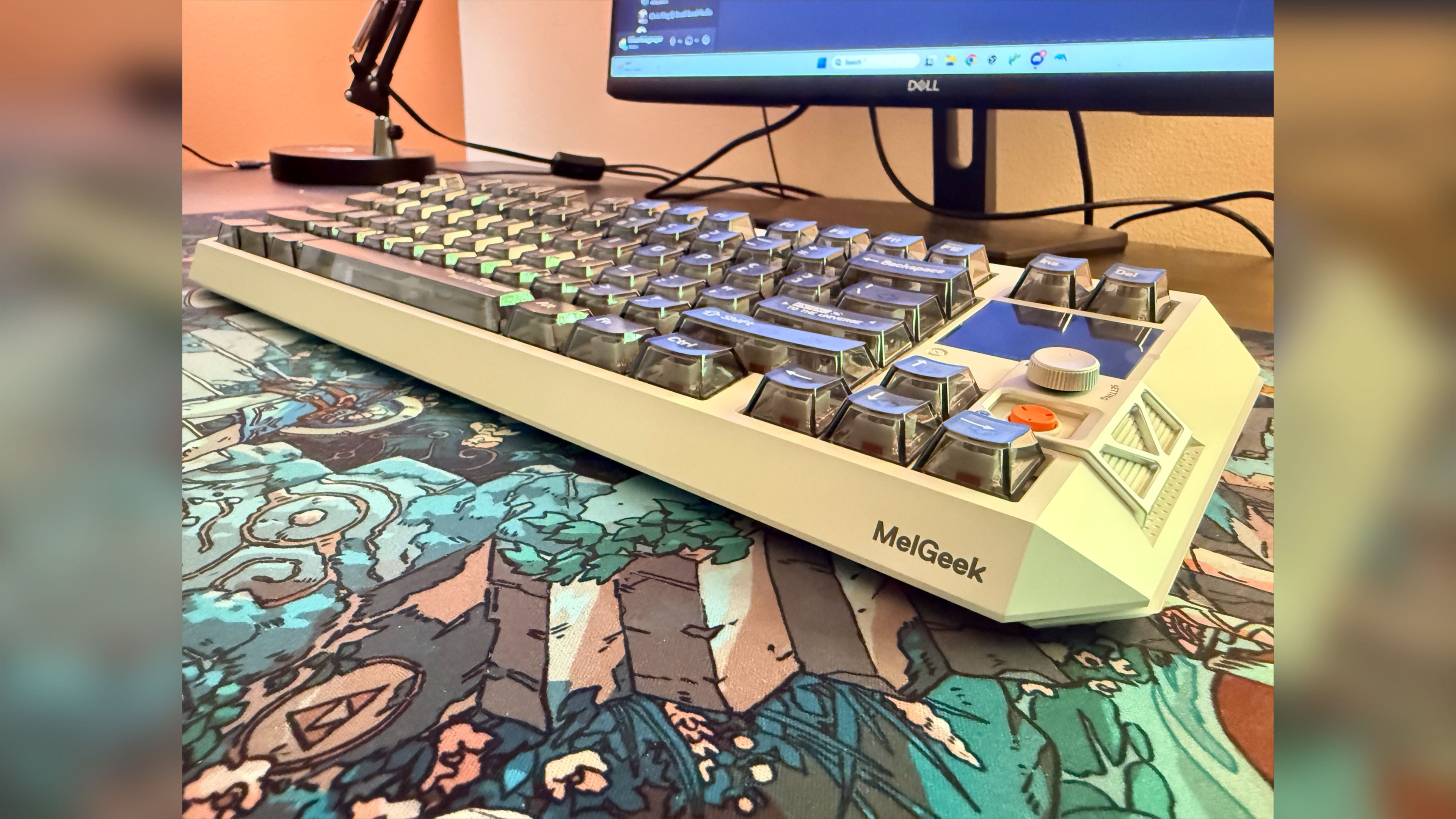
Let’s start by talking about the keyboard’s design before we get into the specifics of how it performs. The MelGeek Centauri80 is, honestly, the most visually appealing keyboard I’ve ever seen. While beauty is in the eye of the beholder, if you enjoy science fiction and space themes like I do, you’ll likely love the way this keyboard looks. It has a distinctly futuristic feel, almost like something from Star Trek – it even includes a small plaque on the back that says “USS-Centauri!” It was a perfect touch for me.
Okay, so first impressions? This MelGeek keyboard gets me. From the sleek space gray color and solid aluminum build, to the little details like the fun messages printed on some of the keys – things like ‘ENTER to the universe’ and ‘Back to the SPACE’ – it’s clearly made for people like me: sci-fi fans who want a keyboard that actually performs well and looks amazing. It’s seriously cool, and feels really premium. It’s a total 10/10 in the looks department, and it’s built to be a workhorse too.
The build quality of this keyboard is exceptional, largely due to its aluminum case. I’ve used other high-end keyboards, but the Centauri80 feels noticeably more solid and substantial – it’s reassuringly weighty and well-made in comparison.
The keyboard’s translucent keys allow for a stunning and fully customizable light show. While it comes with plenty of preset lighting effects, you can dive into the MelGeek Hive settings to create even more advanced effects, like colors that pulse to your music or react to what’s happening in your games – it’s really impressive!
You can personalize the touchscreen with any image you like. Plus, a light strip runs around the edges and back of the device, and just like the keys, you can fully customize it with different colors and lighting effects.
I like to set my keyboard backlight to “Random.” As you might guess, this mode makes the keys cycle through all the colors of the rainbow, flashing and changing independently – it’s a really fun effect!
Geared for Gamers, But Still Incredible for Everyday Use Too
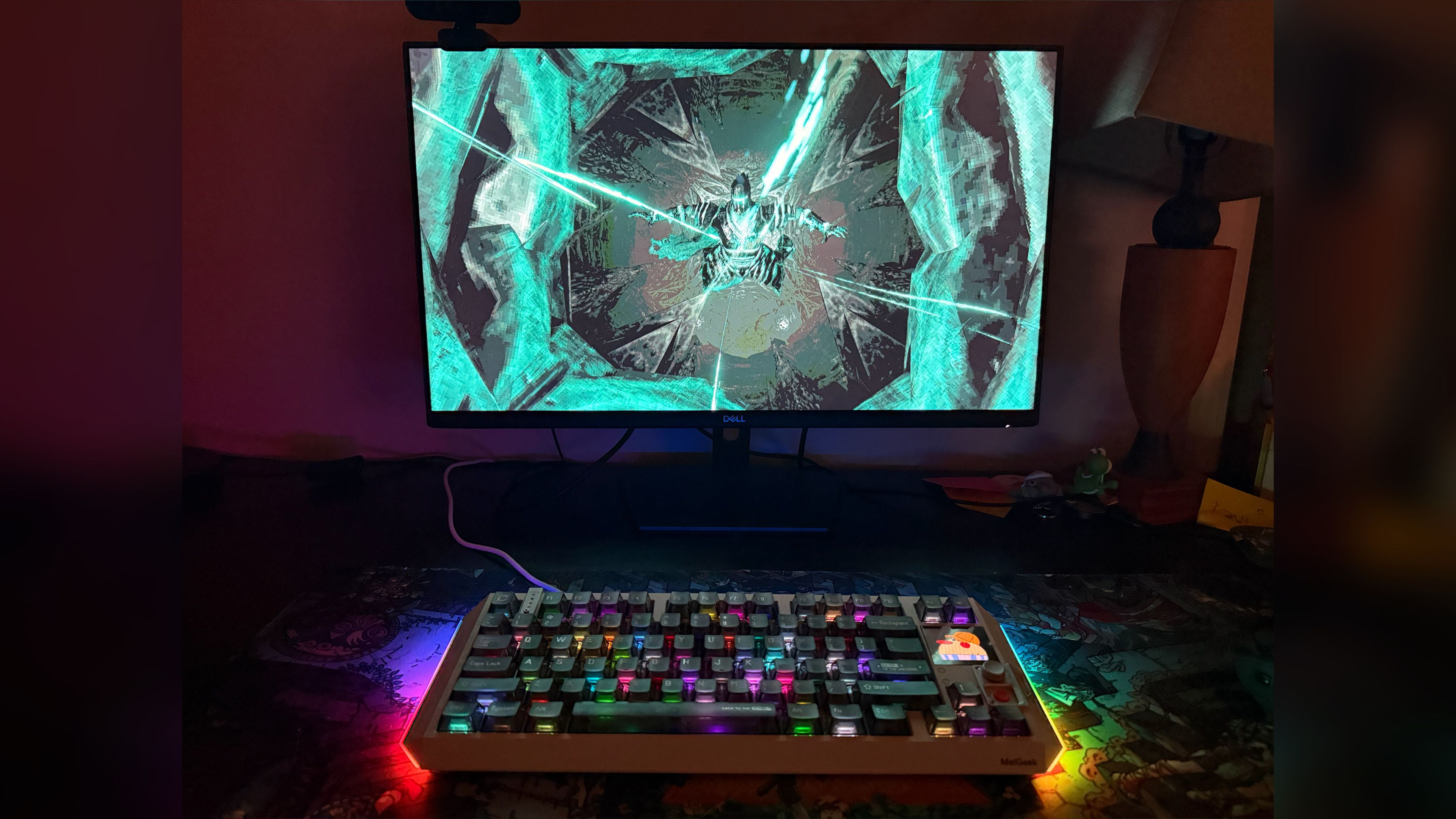
Let’s talk about performance – and honestly, I don’t have much to complain about. I really enjoyed using the Centauri80 with different PC games. I’m not a professional gamer, so I won’t get into super-detailed analysis of how each key feels. But compared to any keyboard I’ve used before, the Centauri80 is among the very best.
There are two main things to be aware of. First, the keycaps, made of clear, hard plastic, feel a bit smoother than those on other keyboards I’ve used – some have a textured surface for better grip and to help with finger placement. Second, the keys on the Centauri80 are a standard size, unlike some gaming keyboards which have slightly smaller keys.
Ultimately, choosing between these options often comes down to personal preference. I personally prefer the way these keys feel, and I also like that they’re a bit bigger and more traditionally sized. It took a little getting used to switching from my old keyboard to the Centauri80, but I quickly adapted. The keys are just as responsive as those on my other high-quality keyboards, and like we discussed, you can customize each key individually using the MelGeek Hive app.
If you prefer, you can also buy keycaps with various textures and finishes directly from MelGeek.
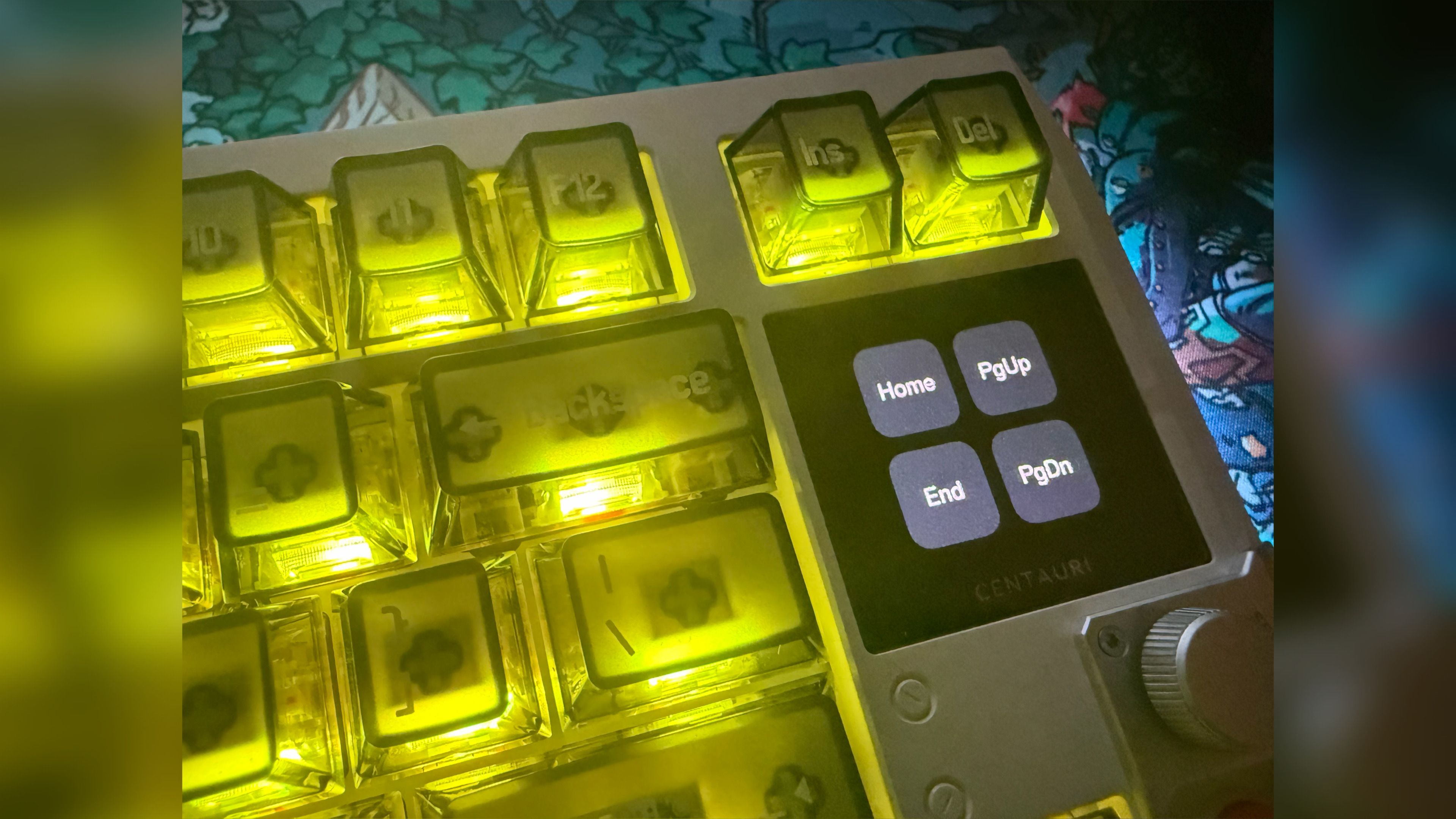
The Centauri80 feels instantly comfortable and enjoyable to use, assuming you like its size and how it’s arranged. It’s actually made me excited to game! It’s a high-quality magnetic keyboard with Hall Effect switches, but it uniquely blends the familiar feel of my old keyboard with a more advanced, precise, and professional experience. I love that combination.
This might not matter to everyone, but I really like that this keyboard is great for everyday use, not just gaming. Many gaming keyboards feel awkward when you’re doing things like typing emails or writing documents – the keys can be oddly sized or just feel uncomfortable for regular typing. This one doesn’t have that problem.
The MelGeek Centauri80 is a rare find – it’s both an incredibly precise gaming keyboard and one that’s genuinely comfortable for everyday use. As a writer, editor, and gamer, I’m impressed. While I’ve been happy with my previous keyboard, I’ll definitely be using the Centauri80 from now on.
The keyboard isn’t as loud and mechanical-sounding as some others, but it still has a clear, satisfying feel with each keypress.
The Specs
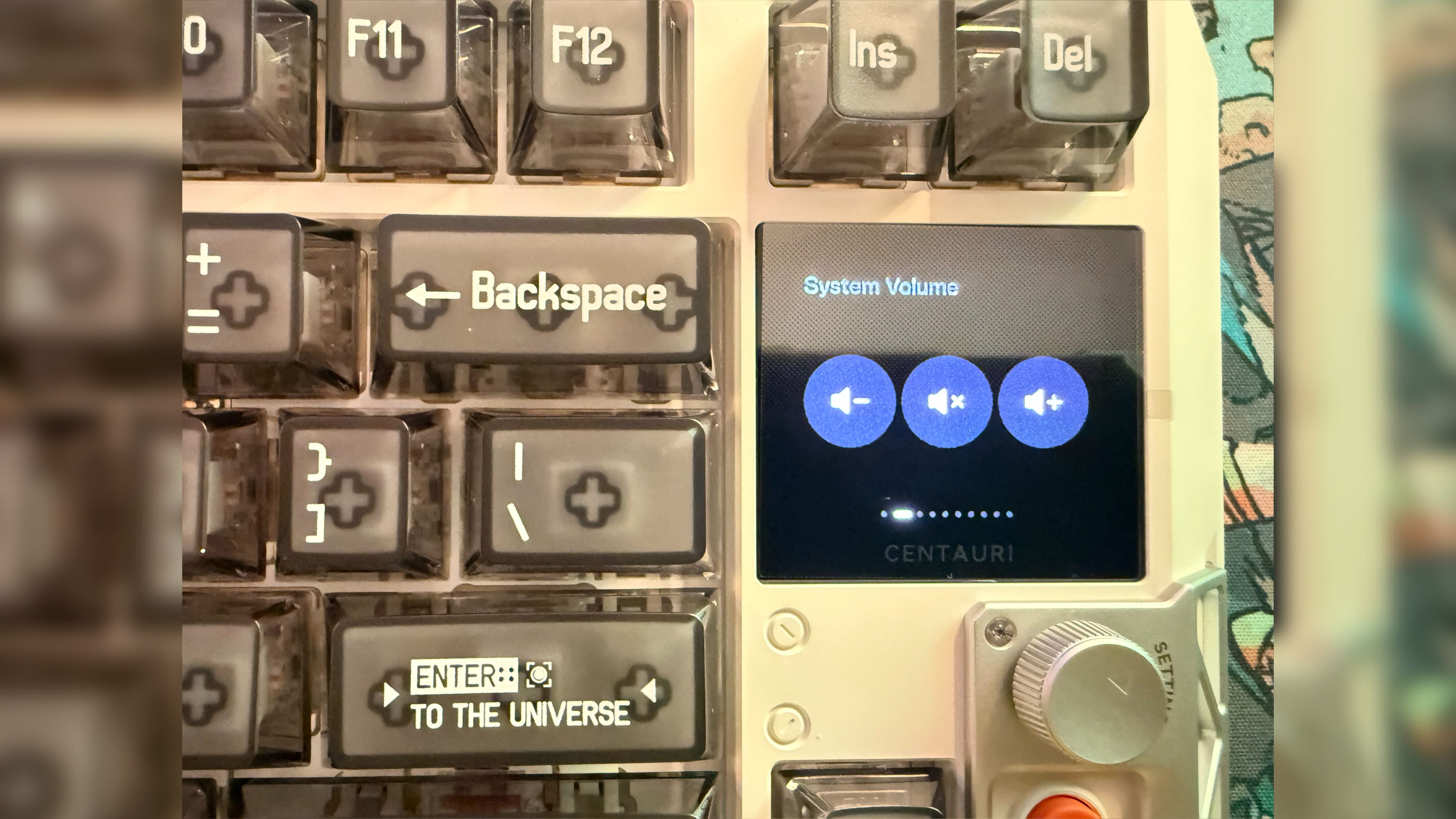
If you’re hoping for more detailed, technical information instead of my personal thoughts and feelings, here it is:
- OLED Touchscreen
- Magnetic Keys
- Multi-MCU Distributed Architecture
- Aluminum Alloy Case
- Actuation Force:35±10gf
- Total Actuation Travel: 0.1mm–3.4mm
- Switch Life: 100 Million Clicks
- USB Polling Rate: 8000Hz
- Scanning Rate: 8000Hz
- Latency: 0.125ms
- Adjustable Precision: 0.01 mm
- RT (Rapid Trigger) Adjustment Range: 0.01–2.5mm
- N-Key Rollover (NKRO): Yes
- Snap Tap Function: Yes (for fast stopping)
- Adjustable Dead Zone: Yes (0 dead zone supported)
- Super Key: Yes
- Adaptive Hall Correction Algorithm: Yes (for consistency and stability)
- Hotswap Sockets: Yes
- Weight: 1840g
And finally, the price:
- $359 USD
Yes, the Centauri80 is definitely an investment, but as you’ve probably gathered, I believe it’s a truly premium keyboard and I’m thoroughly enjoying it.
Subscribe to the Newsletter for PC Gear Reviews
If you’re looking for a more affordable option, the MelGeek Centauri60 is worth considering. However, it doesn’t include the OLED touchscreen and is slightly smaller. It costs $299 USD. While I believe the touchscreen’s features justify the extra cost, the decision ultimately depends on your preferences.
Want to learn more about the MelGeek Centauri80? Click the link below to visit the keyboard’s official page.
MelGeek Centauri80 Product Page
Closing Comments
If you’re looking for a high-quality keyboard that also looks fantastic, the MelGeek Centauri80 is definitely worth checking out. It boasts a stylish, futuristic design and a solid aluminum build. The MelGeek Hive app makes customizing it incredibly easy, and the OLED touchscreen is a surprisingly useful addition. It performs exceptionally well, whether you’re gaming or just using it for everyday tasks. While it might take a little getting used to if you’re coming from another keyboard, and it’s a bit of an investment, I’ve been using it for a couple of weeks and it’s quickly become my favorite gaming keyboard – I’m really enjoying it!
Score: 9.5/10
| Pros | Cons |
|---|---|
| An incredibly sleek, well-constructed, sci-fi themed design | For some, keys may feel large/mildly slick |
| The MelGeek Hive app is a user-friendly breeze to use | No included, dedicated wrist rest |
| Functions amazingly for games, but also for general PC use | Premium price entry point |
| Touchscreen is more practically useful than you’d expect | |
| Customizable in every way you need, both functionally and aesthetically |
Product provided by MelGeek for review.
Read More
- Netflix’s Little House On The Prairie Reboot: Release Date, Cast & Everything We Know
- Off Campus Season 1 Soundtrack Guide
- YouTuber arrested after viral AI bodycam videos spark real police complaints
- Silver Rate Forecast
- Prime Video’s New R-Rated Spy Thriller Is Officially No.1 On Streaming Despite Poor Reviews
- Brent Oil Forecast
- Peaky Blinders: The Immortal Man’s Tommy Shelby Is a Better Father Than Michael Corleone
- Gold Rate Forecast
- EUR ZAR PREDICTION
- Bulgakov’s Take: Koreans Bet the Farm on Chips, Crypto, and Chaos
2026-05-17 04:42