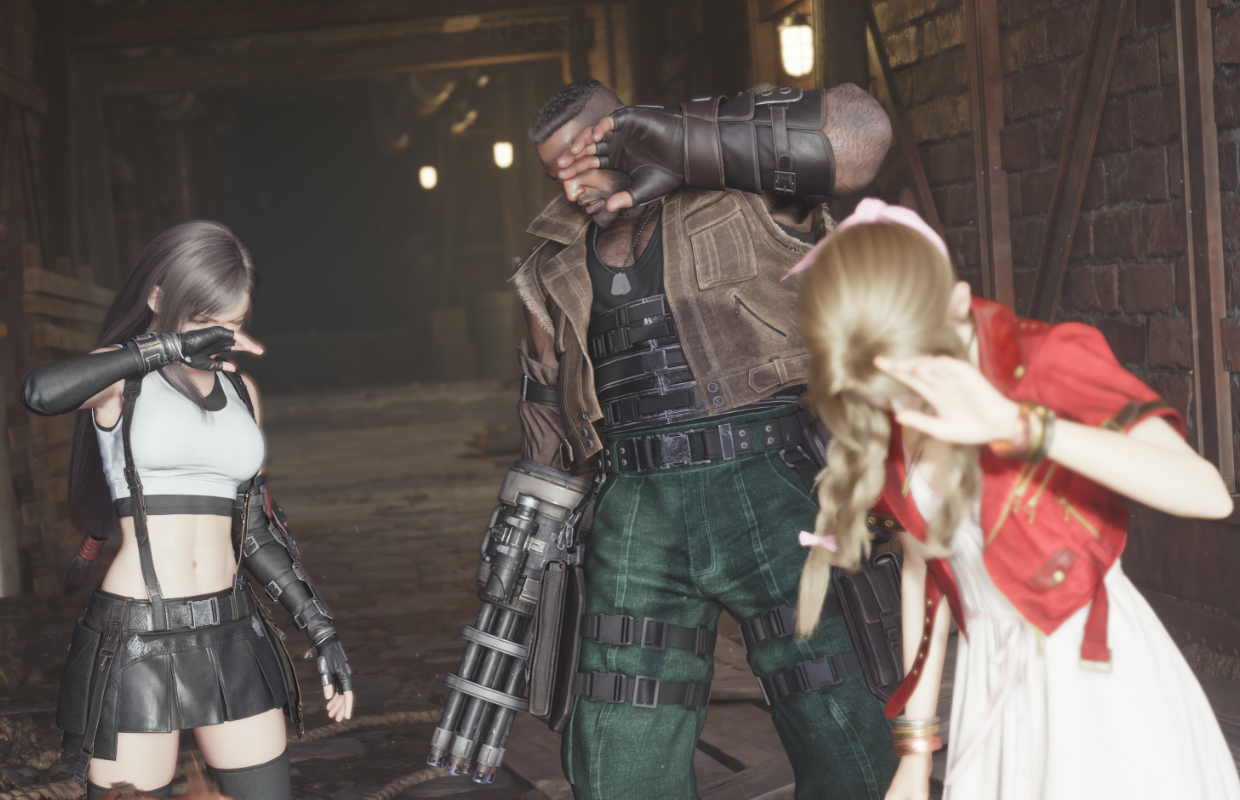
This week sees the release of Final Fantasy VII Rebirth on Nintendo Switch 2 and Xbox Series consoles. Rebirth is a much more expansive game than Remake, featuring larger, more open areas and a fantastic soundtrack – arguably one of Square Enix’s best in years. While Final Fantasy VII Remake ran well on the Switch 2 for handheld gaming, Rebirth faced some visual challenges even on the standard PS5. I was eager to see how Rebirth would perform on the Switch 2, and although the demo wasn’t particularly impressive, I remained optimistic about the final version.
I’ve already tested Final Fantasy VII Rebirth on the Steam Deck and ROG Ally, and the PC port wasn’t great compared to other games from Square Enix. I wanted to wait until I could play the full game on the Switch 2 and Xbox Series before doing a complete comparison. Square Enix is also releasing updates for the PS5 and Steam versions, including a feature for faster progression and lighting improvements originally from the PC version. I’ll be retesting load times and visuals on both the standard PS5 and PS5 Pro once those updates are available, as the Steam and PS5 patches aren’t live yet.
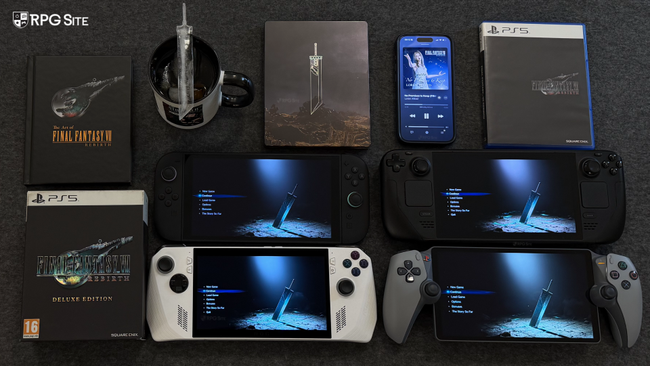
Now that’s settled, I’ll be detailing how Final Fantasy VII Rebirth performs on various systems – including the Switch 2 in both handheld and docked modes, PS5, PS5 Pro, Steam Deck, ROG Ally (with and without Xbox Game Pass for PC), and Xbox Series X. I want to help players with multiple consoles choose the best platform for them, and I’ll be comparing each version based on things like loading times, graphics quality, how smoothly it runs, and any unique features each version has.
Just a quick note: because updates for the Nintendo Switch 2 and Xbox were released very recently, I had to re-test those versions. This meant I needed to recapture some comparison images, and I ended up using the beginning sections of the game for those captures.
Final Fantasy VII Rebirth release timeline
Before diving into the different editions and how they compare, Final Fantasy VII Rebirth has had a somewhat unusual rollout on various platforms.
- February 2024: Final Fantasy VII Rebirth launches worldwide for PS5.
- November 2024: Final Fantasy VII Rebirth gets PS5 Pro support and delivers a massive improvement over base PS5.
- January 2025: Final Fantasy VII Rebirth launches for PC via Steam delivering an improved port over Final Fantasy VII Remake Intergrade that scales above PS5 with some lighting improvements.
- June 2026: Final Fantasy VII Rebirth launches for Nintendo Switch 2, Xbox Series consoles, and Xbox on PC with Streamlined Progression, some lighting improvements, and all prior udpates included. Final Fantasy VII Rebirth on PS5 and Steam will be patched to bring in Streamlined Progression and also lighting improvements in the case of the PS5 version.

Final Fantasy VII Rebirth feature differences across platforms
Although the gameplay in Final Fantasy VII Rebirth is consistent across all platforms, there are a few differences depending on where you play. The ‘Streamlined Progression’ feature will likely be added to the PS5 and Steam versions if it isn’t already available. Beyond that, the PS5 version loads faster than other platforms and offers extra features like PS+ Game Help, Trophies, enhancements for the PS5 Pro, and support for Remote Play.
Final Fantasy VII Rebirth is available on Xbox as a Play Anywhere game, meaning you can play it on both your Xbox console and PC. Xbox Series consoles also support Quick Resume, letting you switch back into the game quickly. The game includes Xbox achievements. On Steam, it supports Steam Achievements and is verified to work with the Steam Deck, although some players feel it doesn’t quite live up to that rating.
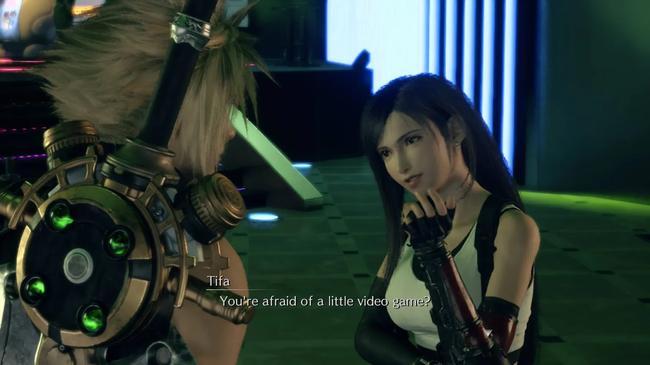
Final Fantasy VII Rebirth on the Switch 2 doesn’t have achievements because the Switch 2 doesn’t support them across all games. However, the console’s ability to be played both docked and handheld is a major benefit. While most Switch games offer this flexibility, for titles like Final Fantasy VII Rebirth and even games outside the RPG genre, such as Star Wars Outlaws, this is the only portable version I would suggest, as discussed later in this article.
Final Fantasy VII Rebirth feels best on PlayStation 5 and the upcoming Switch 2 thanks to their superior rumble features. The Xbox version has some rumble effects, especially during cutscenes and interactions, but it’s fairly simple. The PS5 offers the most advanced rumble experience, with the Switch 2 coming in second. The Switch 2’s HD rumble is a significant improvement over the Xbox controller’s rumble and a major step up from the limited haptics found on the Steam Deck.
Final Fantasy VII Rebirth PS5 visual issues at launch
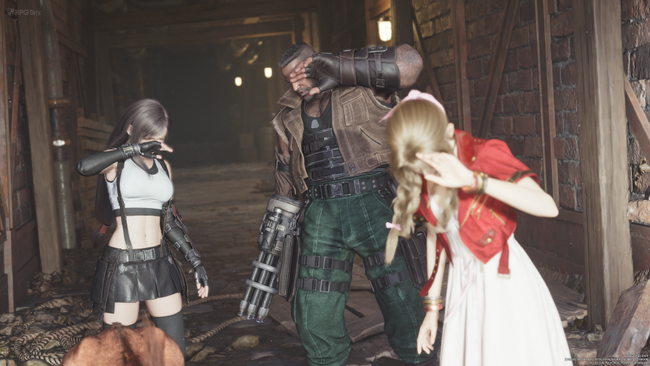
Let’s start by looking at how Final Fantasy VII Rebirth performed on the standard PlayStation 5 at launch, as that provides a good baseline for comparison. The initial PS5 version had some visual issues, including lower-resolution textures in the open world and objects appearing further away than expected. There were also some lighting problems and the character models for minor characters weren’t always high quality – this was more noticeable than in the original Remake due to the increased number of characters. However, Rebirth wasn’t bad overall; it featured fantastic cutscenes and smooth combat animations, and the main characters and environments generally looked great. Ultimately, the game offered an uneven technical experience when it came to visuals.
When the game first came out, I struggled with how blurry it looked in performance mode due to the post-processing effects. Objects also didn’t appear as far away as I’d like, and there was some noticeable ghosting. Because of this, I often played in the 60fps mode using remote play, and switched to the 30fps mode when playing on my TV or monitor. Overall, the graphics felt noticeably less sharp compared to the Remake.
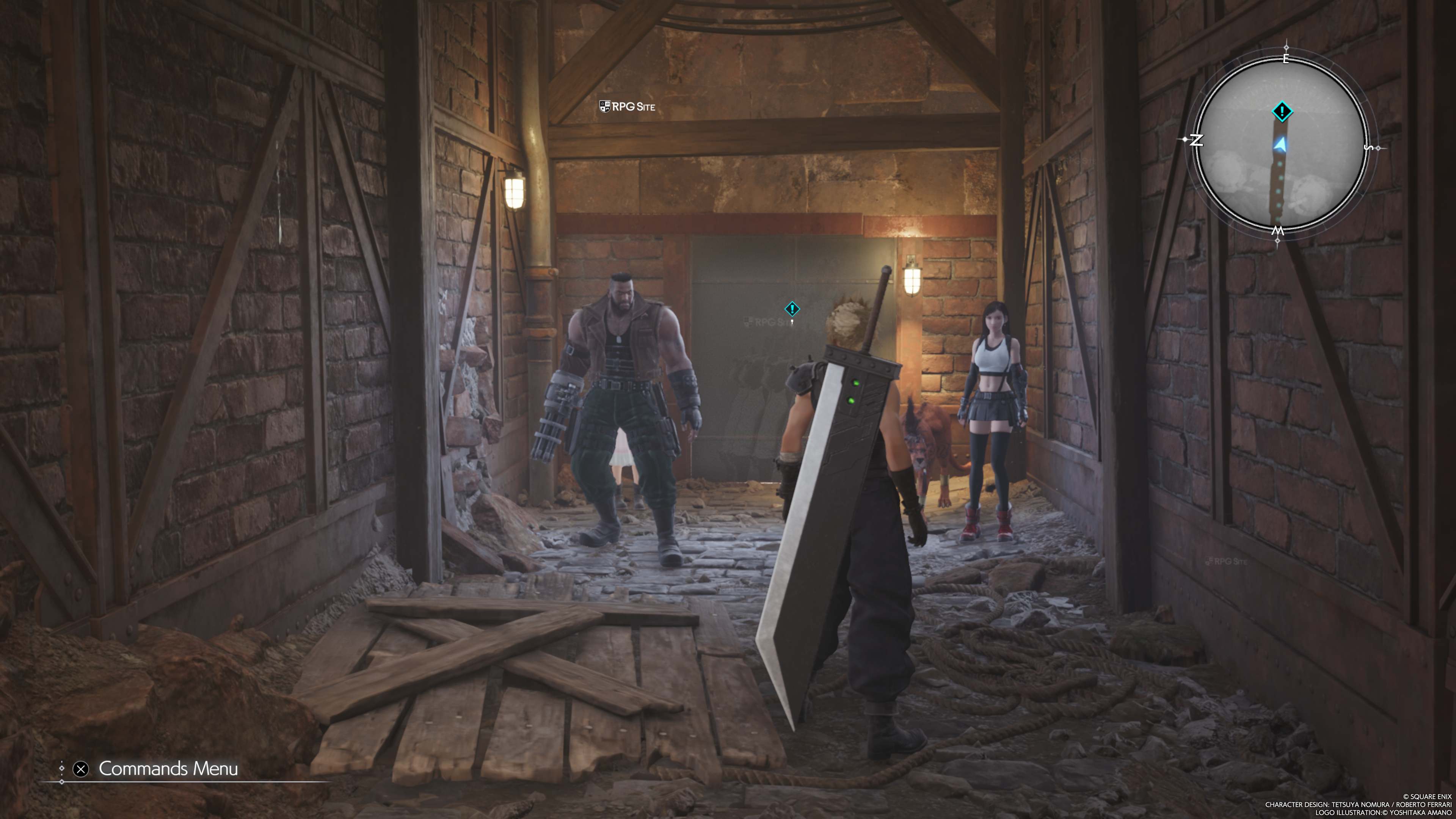
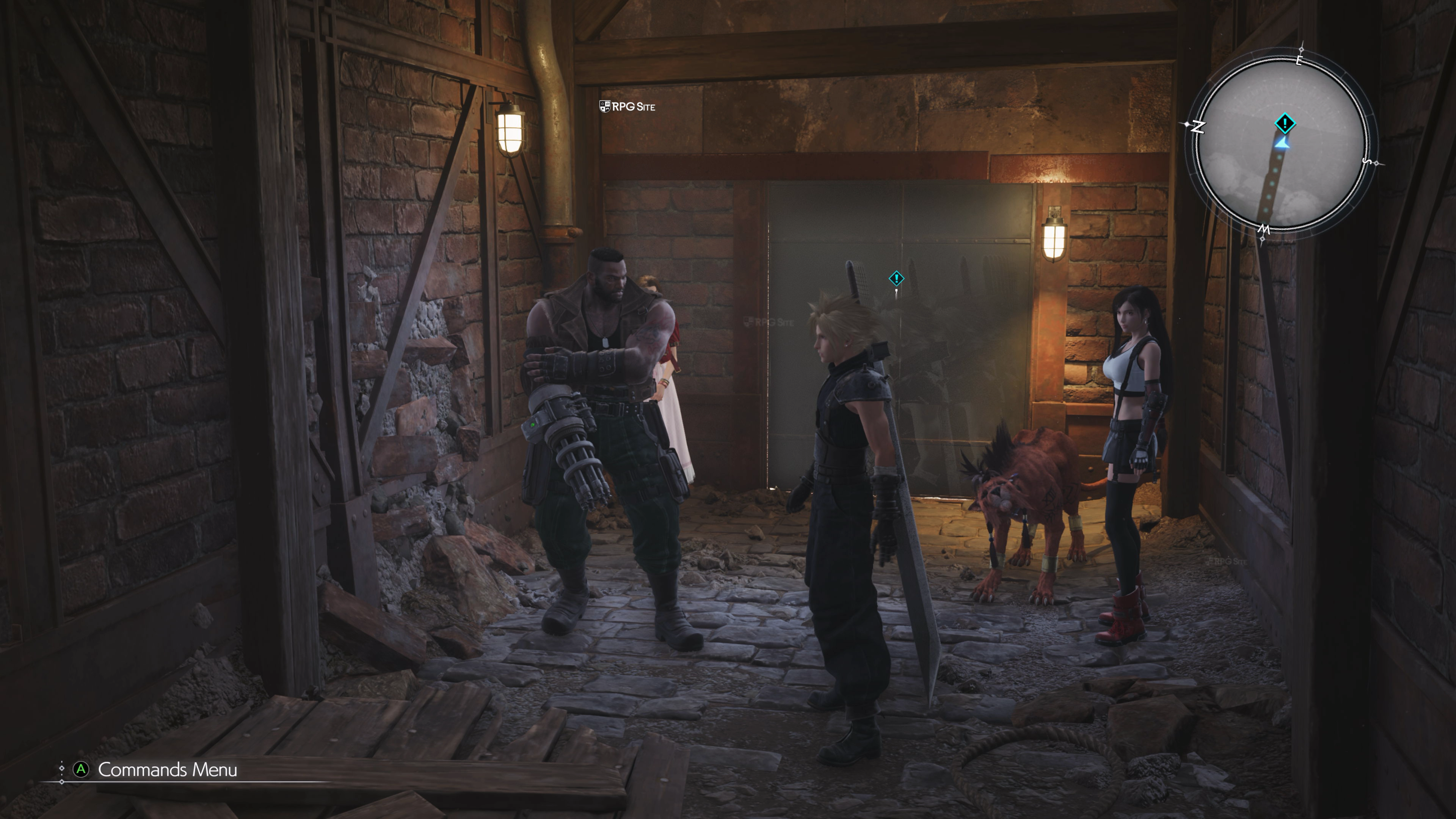
As a player, I’ve noticed some ghosting – kind of a blurry trail behind fast-moving objects – on both the PS5 and Xbox Series X versions of the game. It’s especially clear in this particular area when you pan the camera around, and it happens in both Performance and Graphics modes. It’s not a huge deal, but definitely noticeable if you’re paying attention!
I recently upgraded to a PS5 Pro, and the improvements to Final Fantasy VII Rebirth are incredible. Using the new PSSR technology in the game’s ‘Versatility’ mode on the PS5 Pro actually makes the game look better than the ‘Quality’ mode on the standard PS5. While the game still has some minor texture issues, especially up close, it’s a huge visual leap over how it looked on the base PS5 when prioritizing performance.
I don’t expect huge upgrades for the PS5 version of the game, but I’m hoping the developers can refine the way shadows and details appear. Currently, things seem to sharply pop into view within a fixed distance of the player, which looks unnatural. I’d like to see a smoother, more gradual transition as you move through the environment.
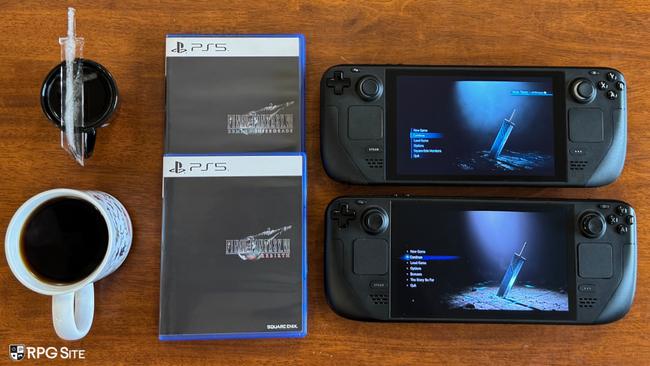
Final Fantasy VII Rebirth PC port issues still present today
The PC version of Final Fantasy VII Remake wasn’t great. While it could be made to run, it still had performance problems like stuttering, and lacked meaningful graphical settings. It didn’t offer a significant improvement over the excellent PS5 version. In fact, I actually preferred playing it on the Switch 2 over the ROG Ally due to the PC port’s issues. Basic features like support for different screen sizes and upscaling were missing, and while mods fixed some of these problems, the core port remains very basic.
Okay, so I finally got Final Fantasy VII Rebirth running on my PC, and the good news is there are a bunch of graphics options to tweak. They even added DLSS, which is a big help, and the lighting and how far you can see are better, though not massively so. Honestly, the draw distance fix is a huge improvement over the PS5 version, but it’s still not perfect like some really optimized PC ports. The biggest bummer? Stuttering is still happening, even with DLSS helping. And it’s kinda frustrating that they didn’t include ultrawide monitor support – other Final Fantasy games on PC like XV, XII, and XIV all have it! One last thing – I haven’t been able to test it myself because I don’t have the gear, but it looks like the game is capped at 120fps, so no 144hz support yet.
Most games offer simple upscaling options like Quality, Performance, or Native. Final Fantasy VII Rebirth takes a more complex approach, letting you manually set the highest and lowest resolution the game will use. For example, setting both limits to 100% is the equivalent of using the native (DLAA) resolution.
Similar to the game’s overall graphics, the PC version of Final Fantasy VII Rebirth has both improvements over the original Remake and some surprising shortcomings. While it’s a decent port – and improvements were anticipated based on what was shown before release – the PC version suffers from noticeable stuttering, which unfortunately limits the experience.
Just wanted to let everyone know I’ll be keeping an eye on this week’s update with the new Streamlined Progression system. If anything gets tweaked or changed during the rollout, I’ll be sure to update my notes so we all stay informed!
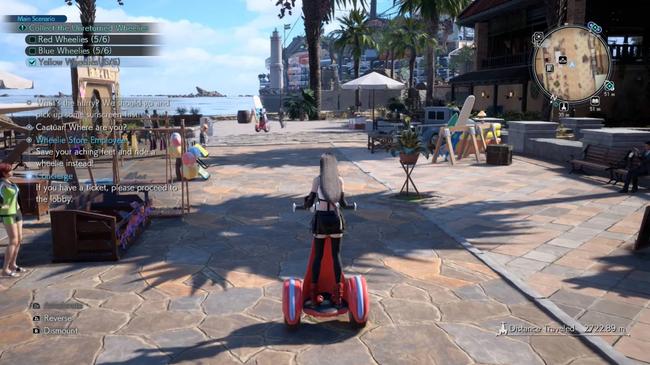
Final Fantasy VII Rebirth Switch 2 full game improvements over the demo build
The full version of Final Fantasy VII Rebirth was updated to version 1.0.2 just before reviews were allowed to be published. I replayed the beginning of the game on this newest version and compared it to the original demo (version 1.0.0). While there are some clear improvements, many problems still exist. One of the biggest changes is that objects and details in the environment now load in at a greater distance. I’ve included a comparison showing how quickly plates now load in during the opening hour – they appear much closer to Cloud than before. NPC loading distances are still a problem, but I’m happy to see Square Enix improved the loading distance for other objects. Good work to them!
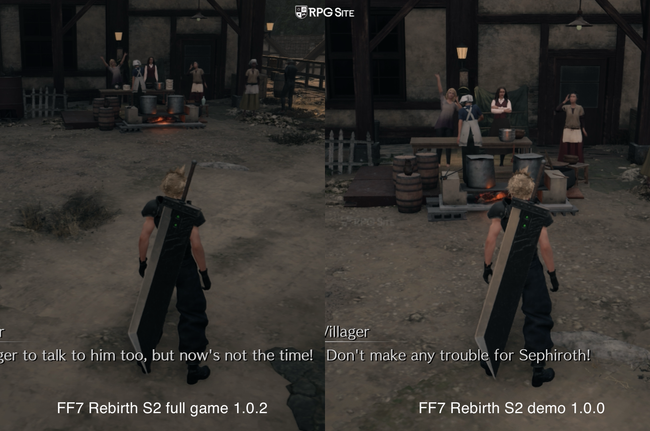
I was surprised to see improvements made for the game’s release, especially since the version we tested was already quite polished (1.0.1). It’s unusual to get significant changes when a demo allows you to carry your progress to the full game on consoles. It’s a positive sign, and I hope the developers can also focus on improving the visual detail of the characters.
Final Fantasy VII Rebirth visuals and performance differences across PS5, Xbox, Switch 2, PC, and PS5 Pro
I’ve already talked about how the PS5 looks, but how well does it run Final Fantasy VII Rebirth? I haven’t beaten the game yet, but overall it was enjoyable at 60 frames per second, though it did slow down a bit in more action-packed scenes. These slowdowns weren’t severe, even after playing for many hours. I actually preferred playing in the 30fps mode, as it felt very smooth and stable on the standard PS5. While the base PS5 offers a decent experience with the 30fps quality setting, it still suffers from some ghosting effects.
Let’s talk about the Xbox Series X. While playing the Final Fantasy VII Rebirth demo, I noticed some performance problems, especially when aiming for 60 frames per second. It wasn’t the general frame rate dips that bothered me as much as the noticeable stutters when the camera moved or while exploring certain areas. Even after a recent update released right before the review embargo, these issues persisted. The Xbox Series X version just wasn’t consistently smooth, and those stutters were distracting. Like with the original PlayStation 5 version, I found the 30fps mode to be a better experience, though it still had some visual ghosting.
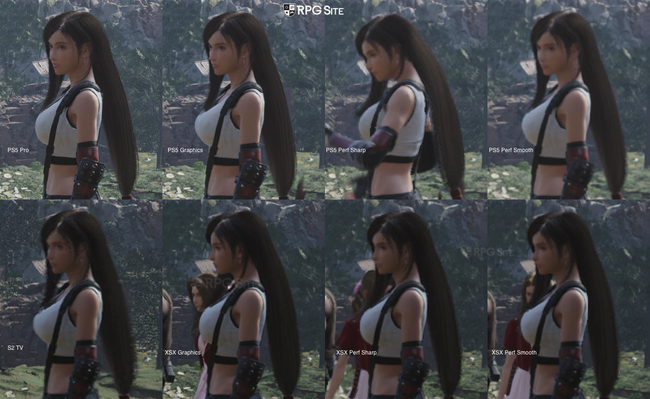
Just to clarify, when comparing the visuals, I recorded gameplay in 4K on each platform using its best settings. To highlight the differences in character detail and texture quality on a TV or when docked, I zoomed in on the images.
Playing Final Fantasy VII Rebirth on the PS5 Pro offers a significantly better visual experience than the original PS5, especially with the upgraded PSSR technology. It’s the best-looking version you can get on a console, even surpassing the quality mode on the standard PS5. While the game still has some limitations with how far you can see objects, these are less noticeable than on other consoles. Overall, unless you have a powerful PC with an Nvidia graphics card and are comfortable modifying the game, the PS5 Pro is the ideal way to play. Importantly, this version eliminates the ghosting effect seen on the base PS5 and Xbox Series X, though some distant objects might flicker slightly in certain areas.
I strongly suggest using mods with Final Fantasy VII Rebirth because the game frequently stutters and pauses, even on powerful computers. There’s currently no way to fix this without modding, and you’ll have to accept some performance issues. This problem also affects the game on PC handhelds like the Steam Deck and ROG Ally. The ROG Ally Z1 Extreme struggles even with the lowest settings and a reduced resolution. I wouldn’t recommend playing it natively on that device right now. On the Steam Deck, the game will look a bit blurrier than on the Switch 2, but it generally has better graphics quality and can display objects further in the distance.
Final Fantasy VII Rebirth has uneven textures – some look great, while others appear noticeably outdated, like they’re from an older game. This inconsistency is the biggest problem, and it extends to the character models as well. Non-player characters (NPCs) often don’t match the quality of the main characters, except during certain cutscenes.
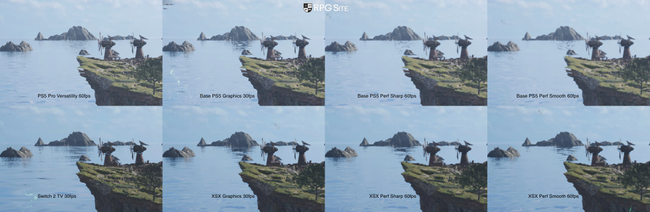
Just so you know, when I compared the images, I recorded gameplay in 4K on each platform using its standard settings. To make the differences in distant objects, plants, and textures easier to see on a TV or when the console is docked, I zoomed in on the image.
In my opinion, the most impressive version of Final Fantasy VII Rebirth is on the Switch 2. Playing the game on the Switch 2 has its ups and downs. When docked, the visuals are surprisingly good considering the hardware, though the game does have reduced draw distances and fewer details in things like plants and objects. Knowing how the game ran on PS5 and how poorly it performs on PC handhelds, I anticipated a much worse experience on the Switch 2, but it’s actually not bad when played on a TV. However, the performance isn’t consistently smooth, often dropping below 30 frames per second. Despite the significant visual cuts, it doesn’t maintain a stable 30fps.
Before the initial update, playing Final Fantasy VII Rebirth in handheld mode wasn’t ideal. While the game looked noticeably better than it does on the Steam Deck thanks to DLSS, the view distance and other graphical settings seemed even lower than the lowest possible settings on a PC. I rarely encounter such limited draw distances in games, and it was more distracting in Final Fantasy VII Rebirth than in games like Dragon’s Dogma or even The Witcher 3, which I’ve spent many hours playing on the Switch. Although the game’s performance wasn’t flawless, the patches improved it to a point where it wasn’t as bothersome as I’d expected.
One minor issue with Final Fantasy VII Rebirth on the Switch 2 is how long it takes for NPCs to appear. Sometimes you have to wait 10 to 15 seconds for a shopkeeper to load in, leaving you staring at an empty screen. It’s quite disruptive, and I hope the developers can improve performance so that important characters and locations load faster than less essential details.
Currently, the only handheld version of Final Fantasy VII Rebirth I’d recommend is the one on the Switch 2. While it can be a great experience, it’s also held back by some technical problems. It’s a good option for enjoying the open-world areas and side quests, but if possible, I suggest playing the main story on a TV.
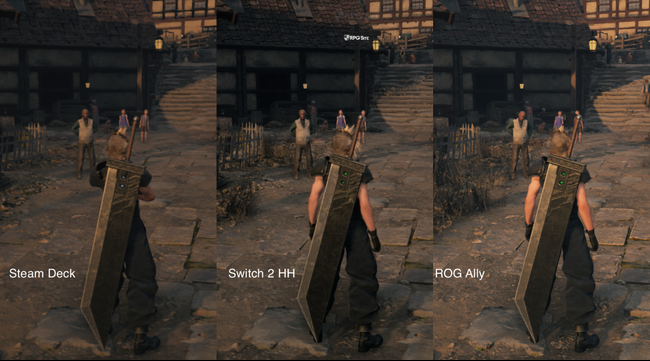
Just to clarify how the comparisons were made: I took screenshots using the built-in tools on each device. On Steam Deck and ROG Ally, the game was set to run at 30 frames per second (with HDR enabled on the Deck), and the ROG Ally used its default settings. Since the Switch 2 doesn’t have other capture options yet, I used its system screenshot feature. All images were cropped to focus on the same part of the scene for a fair comparison.
Despite some technical problems, Final Fantasy VII Rebirth is a playable and enjoyable experience on the Switch 2, largely thanks to features like DLSS and clever (though occasionally aggressive) scene cuts. The game’s improved progression also makes it a good choice for playing on the go. Considering the issues with the PC version, I wouldn’t recommend playing it on PC handheld devices I tested.
As a huge fan, I was checking out the file sizes for Final Fantasy VII Rebirth, and it’s noticeably different between platforms – almost 170GB on my Xbox Series X, but around 102GB on the Switch. It makes me wonder if the graphics were dialed back on the Switch just to save space. Honestly, I’m really hoping Square Enix will release a free DLC pack with higher-quality textures and assets. I’d download it instantly if they did!
The PC version of Final Fantasy VII Rebirth, released through Xbox Play Anywhere, unfortunately doesn’t offer any performance improvements over the Steam version. I tested it on my ROG Ally and found the same stuttering problems. If you’re playing on a ROG Ally Z1E and have an Xbox console, I suggest streaming the game from the console instead of running it directly on the device.
After playing Final Fantasy VII Rebirth for over a dozen hours on various systems – including the PS5 Pro, PS5, Xbox Series X, Switch 2, Switch 2 handheld, Steam Deck, and ROG Ally – I still noticed some technical problems. However, a few platforms really stood out despite these issues. I was particularly impressed with both the PS5 Pro mode and playing on the Switch 2 handheld, even though they offer very different experiences.
Having played games on many different devices, I was surprised the Switch 2 could even handle Final Fantasy VII Rebirth, considering the compromises made for the handheld version. The PC version set a pretty low bar for me, honestly. I plan to finish the game primarily on my PS5 Pro and Switch 2 over the next year, until the third part comes out. The game’s faster progression system is also great for replays or if you need to catch up.
Final Fantasy VII Rebirth load times across Switch 2, PS5, Steam, Xbox, Xbox on PC, and PS5 Pro
I tested how quickly Final Fantasy VII Rebirth loads on all available platforms. This included the PS5 and PS5 Pro, Xbox Series X, PC, Steam Deck, ROG Ally, and the new Switch 2. I timed how long it took to load both the game’s start screen and a saved game from early in the story on each device.
| Platform | Dashboard to title | Loading save |
| PS5* | 12-14 | 3-3.5 |
| PS5 Pro* | 4-5 | 3 |
| Xbox Series X | 11-16 | 6-9 |
| Switch 2 | 10-12 | 22-22 |
| ROG Ally (Xbox on PC) | 43-45 | 20 |
| ROG Ally (Steam)* | 24 | 20-21 |
| Steam Deck* | 14-15 | 21 |
Just a heads-up: the scores for the PlayStation 5 and Steam versions are based on the game before the recent update that simplified character progression. I’ll play those versions again and update the results once the update is available.
The PS5 Pro consistently loads games the fastest, followed closely by the standard PS5 and then the Xbox Series X. Xbox consoles and the PC version take longer to start because they need to initially sync save data. The PC versions also spend time checking shaders, which all players will experience. While my timing doesn’t include the full shader compilation process, it does include this checking phase. Surprisingly, the Switch 2’s load times are remarkably good, especially considering how other cross-platform games perform on that hardware.
Which version of Final Fantasy VII Rebirth is the best?
Games like Pragmata and the recent Final Fantasy titles (XV, XVI, and XIV) really shine on powerful PCs, offering the best experience. However, the PC versions of Final Fantasy VII Rebirth and Remake Intergrade have problems that hold them back. What’s the point of having great graphics and aiming for a smooth 120 frames per second if the game keeps stuttering and pausing during action? I don’t think it’s worth it. If those performance issues were fixed, Final Fantasy VII Rebirth on PC would be the ideal way to play, but as it stands, I can’t recommend it. While some players might not notice minor hiccups, the stuttering in games like Final Fantasy VII Rebirth and even Elden Ring (on Windows) was so noticeable that I preferred playing them on other platforms.
Now that’s settled, let’s talk about the best ways to play. I think the Switch 2 offers the best experience for handheld gaming with Final Fantasy VII Rebirth, even compared to the Steam Deck and ROG Ally Z1E. I haven’t tested the MSI Claw or ROG Xbox Ally X, but since they use Windows, I don’t anticipate they’ll perform significantly better. While the Switch 2 version has reduced graphical settings compared to even the lowest PC settings, it runs much more smoothly and looks better thanks to improvements in image quality, making it the only portable option I can currently recommend.
Playing Final Fantasy VII Rebirth on TVs isn’t ideal on the standard PS5 and Xbox Series X. The game’s upscaling isn’t sharp enough to make the 60fps mode truly enjoyable, so it’s hard to recommend unless you’re willing to accept some visual compromises. However, the upcoming PS5 Pro significantly improves the visuals with its advanced PSSR 2 and Versatility modes. If you don’t have a PS5 Pro, the best experience is to play on Xbox Series X or the standard PS5, but stick to the 30fps mode – the 60fps mode simply isn’t clear enough.
Which version of Final Fantasy VII Rebirth should you buy today?
Since everyone values different things, here’s a breakdown of the pros and cons of each Final Fantasy VII Rebirth edition to help you decide which one is right for you.
- Final Fantasy VII Rebirth on Switch 2: If you value the hybrid nature of the Switch 2 more than anything else and can tolerate cutbacks more than what we saw in big ports like Cyberpunk 2077, FinalFantasy VII Rebirth on Switch 2 delivers a playable to good experience. With the day one patch, it is a bit easier to recommend as well. I mainly recommend this version for portable play since the PC version on PC handhelds is still bad. I can also recommend Final Fantasy VII Rebirth on Switch 2 for a replay with Streamlined Progression to do some of the side activities you may have skipped before on PS5.
- Final Fantasy VII Rebirth on Steam: I honestly don’t recommend Final Fantasy VII Rebirth on PC unless you are ok modding the game and attempting to fix the issues present now. I also do not recommend playing it on Steam Deck or ROG Ally unless you have no other option. This is one to stream to a PC handheld from a more powerful platform if possible. Hopefully Square Enix fixes up the port and does better with Part 3.
- Final Fantasy VII Rebirth on PS5: The original release If you want to play on your TV, care about trophy support, and don’t care about portable play (unless you stream to a PlayStation Portal or phone), this is the version to get since it doesn’t have the additional performance issues present in 60fps mode on Xbox Series. It is also the fastest version when it comes to load times, but the most notable aspect is the PS5 Pro support which makes it by far the best version to play on TV. It has more stable performance than even PC since there is none of the constant hitching here.
- Final Fantasy VII Rebirth on Xbox: If you have access to a PC handheld or play on Xbox Series consoles and PC, the Play Anywhere feature is a big selling point in addition to the Quick Resume feature on Xbox, but the performance issues in 60fps mode hold this one back. I recommend playing it at 30fps until the 60fps mode is patched. I retested this with the day one patch so don’t expect anything to improve today.
I hope this information helps you choose where to play Final Fantasy VII Rebirth if you already own it, and that it clarified the issues some players are experiencing on PC. I plan to revisit this comparison when the Streamlined Progression update is released for both PlayStation 5 and Steam, checking things like loading times again. However, with so many events happening this week, it might take a few days to get to it.
Final Fantasy VII Rebirth is out now for PlayStation 5, Nintendo Switch 2, Xbox Series, and PC. You can find it on Steam, the Epic Games Store, and Xbox on PC.
Read More
- Netflix’s Little House On The Prairie Reboot: Release Date, Cast & Everything We Know
- Off Campus Season 1 Soundtrack Guide
- YouTuber arrested after viral AI bodycam videos spark real police complaints
- Silver Rate Forecast
- Prime Video’s New R-Rated Spy Thriller Is Officially No.1 On Streaming Despite Poor Reviews
- Brent Oil Forecast
- Peaky Blinders: The Immortal Man’s Tommy Shelby Is a Better Father Than Michael Corleone
- Bulgakov’s Take: Koreans Bet the Farm on Chips, Crypto, and Chaos
- EUR ZAR PREDICTION
- Gold Rate Forecast
2026-06-02 15:32