I’ve tested many games on the new Nintendo Switch 2, and often found that older Switch games didn’t look great on the handheld screen. However, a recent system update added a “handheld boost mode” which makes those older games display as if you’re playing them on a TV. This is a huge improvement for the system and will significantly enhance the visual experience when playing on the go. Because the improvements are so noticeable, I’m creating a list of the best Switch RPGs (and some other games we’ve covered, like Ace Attorney) that really benefit from this new handheld boost mode, and I’ll keep it updated over time.
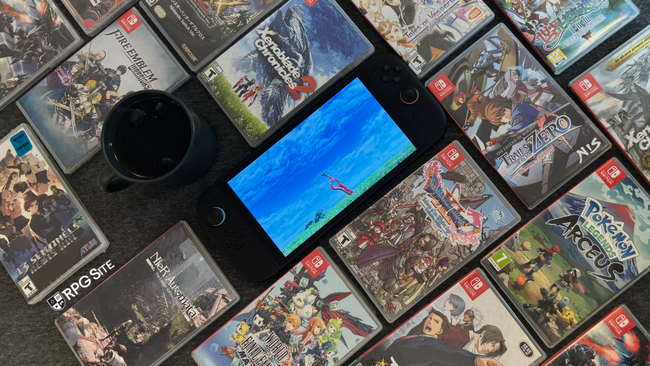
Just a heads-up: For older Switch games that haven’t been updated for the new Switch 2, I’m limited to capturing footage at 720p. This means the comparison images you’ll see aren’t a perfect representation of the improvements. However, they still highlight the upgrades, and I’ll be sure to explain all the changes in detail. For games with 2D graphics where the system capture doesn’t show much difference, I’ll use key art or zoomed-in screenshots instead. I recommend fully loading the images and zooming in to see the improvements in resolution, clarity, and smoothness, as well as any visual setting changes I mention.
The best Switch RPGs to play with handheld boost mode on Switch 2
13 Sentinels: Aegis Rim
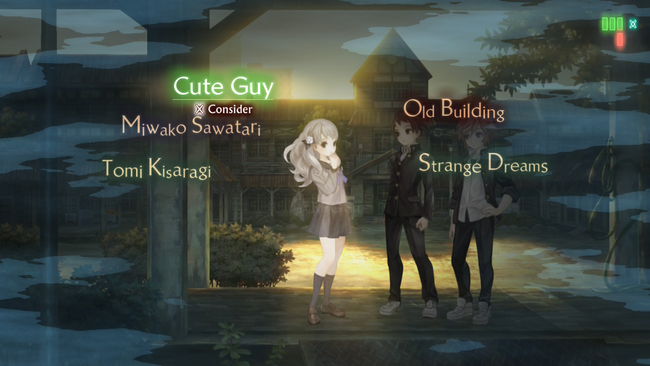
As a big fan of 13 Sentinels: Aegis Rim, I was so excited to see how it ran on the Switch 2! It already got a nice boost from the new system’s backwards compatibility, especially in the battles which used to struggle on the original Switch. Playing in handheld mode with boost enabled gives you a sharper picture, though it’s not a huge difference everywhere. Honestly, 13 Sentinels has always been a beautiful game, and it still looks great on the Switch 2. But the biggest improvement with boost mode? Everything is just so much clearer – the fonts and menus are finally crisp and easy to read, which makes a real difference!
Ace Attorney Trilogy
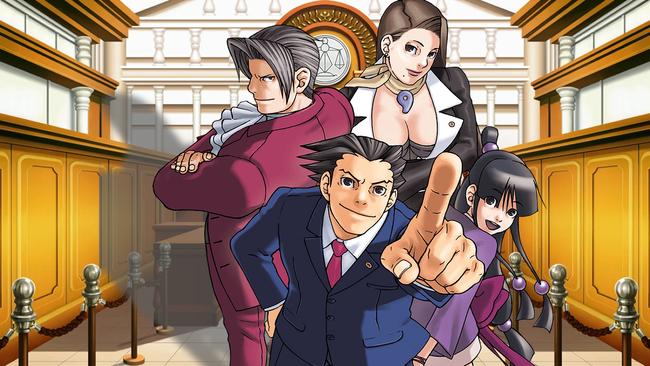
I enjoyed playing Phoenix Wright: Ace Attorney Trilogy most on the original Switch. When playing it on the newer Switch through backward compatibility, the graphics appeared blurry because it was running in a lower resolution designed for the original’s screen. Using boost mode improves the graphics to a full 1080p, but disables touchscreen controls. While some players might not care about the touchscreen, I really appreciate it in these games when it’s available. Overall, boost mode is a worthwhile improvement for playing on the go.
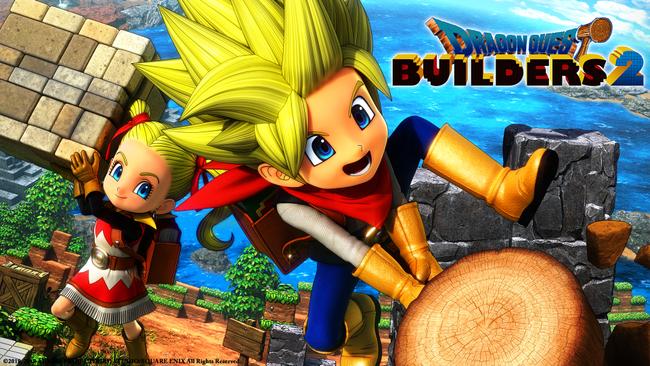
Dragon Quest Builders 2
Dragon Quest Builders 2 was known for running poorly on the original Switch. When I tested it on the newer Switch using backward compatibility, I saw a significant performance improvement, though it didn’t consistently reach 60 frames per second. Using the new Switch’s boost mode increases the resolution, making the game look very sharp on the 1080p screen in the areas I played. However, this comes at a cost – the frame rate drops noticeably, even in the early parts of the game. It’s unclear if VRR is active, but I could definitely feel the frame rate fluctuating. For now, I recommend playing this game in handheld mode without boost mode enabled.
Dragon Quest XI: Echoes of an Elusive Age
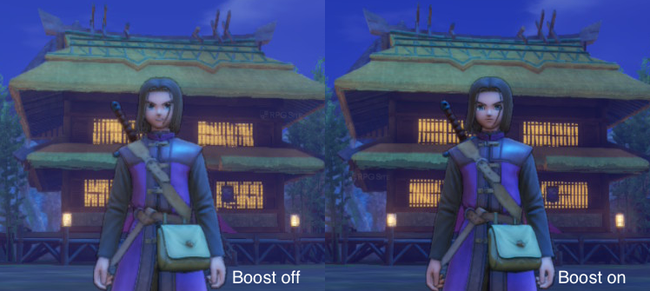
Dragon Quest XI S ran well on the original Switch, even though the graphics were noticeably reduced. On the Switch 2, the game avoids performance problems, but the handheld mode still doesn’t look great on the larger, 1080p screen. Enabling boost mode significantly improves the resolution, pushing it above 720p – a considerable upgrade from its sub-720p appearance on the original Switch and the Switch 2 without boost mode. With the increased resolution in boost mode, details in the distance become much clearer, as you can see in the attached image.
Etrian Odyssey Origins Collection
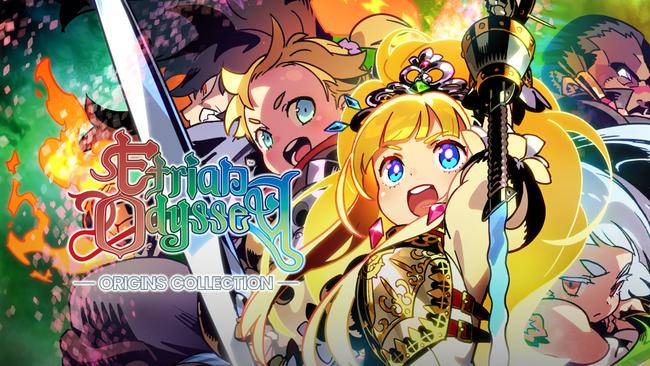
The Etrian Odyssey Origins Collection played perfectly on the original Switch, but when playing the updated versions on the newer Switch model in handheld mode, some images like character portraits appeared a little blurry. Enabling ‘boost mode’ fixes this, making everything sharper and improving the backgrounds. However, there’s a trade-off: boost mode disables the touchscreen. If you prefer using a stylus to draw on the in-game maps, you won’t be able to do so with boost mode turned on.
Fire Emblem Warriors
The original Fire Emblem Warriors on the first Switch ran at 720p resolution and 30 frames per second in handheld mode, with options for 1080p at 30fps or 720p at 60fps when played on a TV. Now, on the new Switch, the game consistently hits its maximum frame rate, and with the console’s boost mode, you can enjoy the smoother 720p 60fps experience even in handheld mode, or choose a sharper 1080p at 30fps. When the first game launched, playing it docked offered a significant visual improvement over handheld play, and it’s fantastic that this is now possible on the new Switch’s handheld mode thanks to boost mode.
Fire Emblem Warriors: Three Hopes
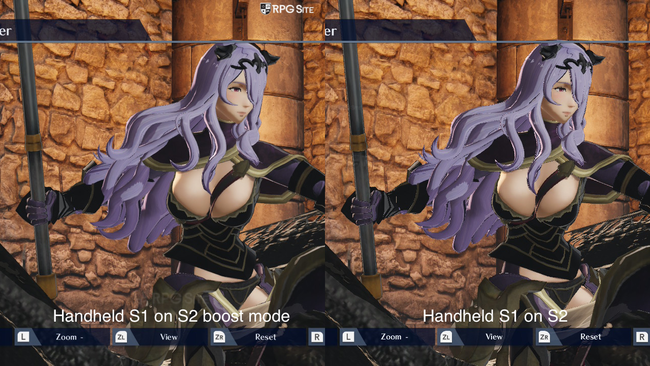
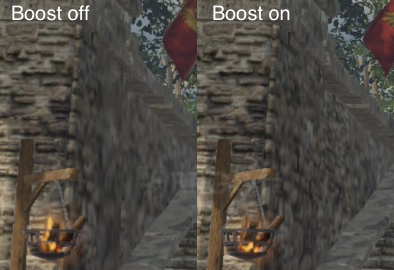
Fire Emblem Warriors: Three Hopes originally ran at a lower resolution on the Switch, both when played on the TV and in handheld mode, with an unstable frame rate. Playing it on the new Switch with backward compatibility improves things significantly, achieving a smooth 60 frames per second in both modes, though the handheld image quality was still a bit blurry. Using the Switch’s boost mode makes the handheld image much sharper with a 1080p interface, though I did notice some temporary performance drops during initial testing. I’ll be playing more over the next few days to get a better understanding of how well it maintains performance. While the game still lacks strong anti-aliasing, the resolution increase from boost mode is a clear improvement, and there are also enhancements to textures and shadows, some of which are detailed below.
Fire Emblem: Three Houses
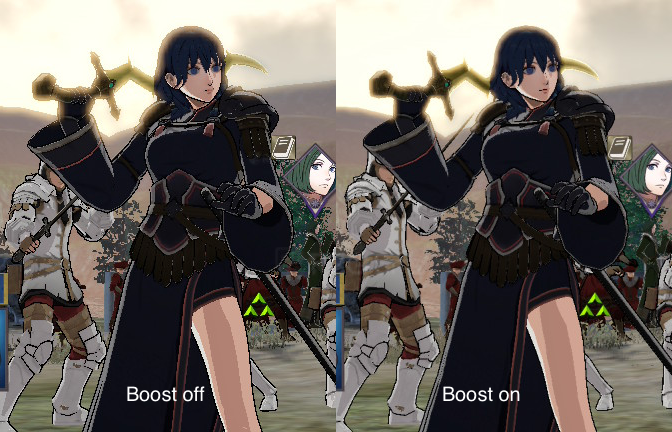
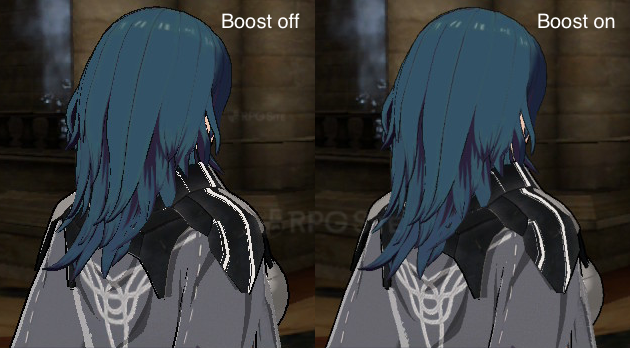
Fire Emblem: Three Houses was a great game, but it had some technical problems on the Switch. It suffered from performance issues and noticeable visual flaws like jagged edges and shimmering. While it ran smoothly at 30 frames per second on the Switch 2, the graphics still weren’t ideal. Enabling the handheld boost mode on the Switch 2 significantly improved the image quality, reducing those jagged edges, and made a big difference, even during dialogue scenes and especially in battles.
Monster Hunter Generations Ultimate
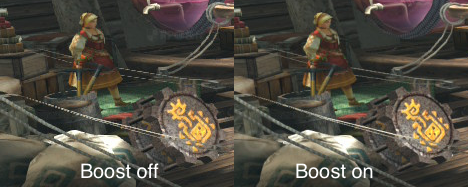
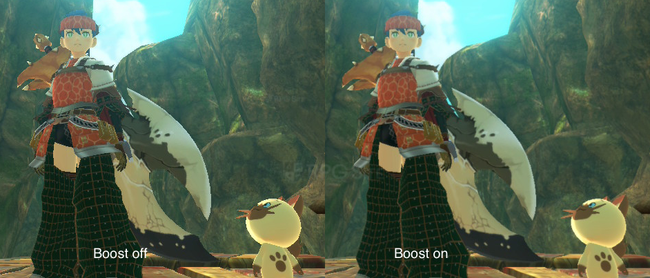
Monster Hunter Generations Ultimate on the Switch aimed for a resolution of 720p at 30 frames per second when played handheld, and 1080p at 30fps when docked. Some of the game’s 2D elements used lower-resolution graphics. While the game still looked decent on the Switch 2, it appeared a little blurry in handheld mode. However, using the Switch 2’s boost mode makes the game look sharp and is now the ideal way to experience this fantastic Monster Hunter title.
Monster Hunter Stories 2: Wings of Ruin
Monster Hunter Stories 2 suffered from inconsistent performance on the original Switch, with the frame rate fluctuating noticeably whether played on the TV or in handheld mode. Playing the game on the newer Switch model provides a significant improvement, consistently hitting its target frame rate. Using the Switch’s boost mode not only enhances performance through backwards compatibility, but also makes the game look sharper. While the original Switch version didn’t always render at a full 1080p, it looks noticeably better on the new Switch in handheld mode with boost mode enabled, despite still lacking strong anti-aliasing.
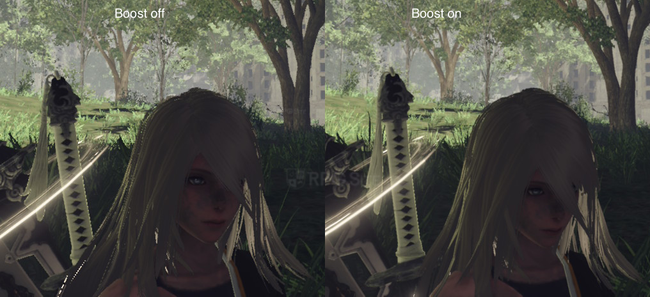
NieR: Automata The End of YoRHa Edition
NieR: Automata ran surprisingly well on the original Switch, and the Switch 2 version maintains that stability thanks to backward compatibility, though it doesn’t offer a significant improvement. While boost mode on the Switch 2 improves the handheld visuals, aiming for a 1080p resolution, the game still suffers from noticeable shimmering and low-resolution textures. If you’re planning to play on the Switch 2, using boost mode is highly recommended to get the best possible experience.
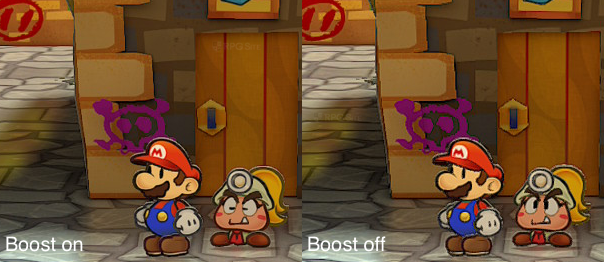
Paper Mario: The Thousand-Year Door
Even though the Paper Mario remake looked good initially, playing it on the Switch 2’s handheld mode at 720p wasn’t as sharp as I’d expected. It still looked decent, but I was hoping for improvements. Thankfully, the Switch 2’s boost mode makes everything much clearer – characters and the on-screen menus both look great on the handheld screen. While I was hoping for a smoother frame rate, boost mode is a significant enough upgrade that I’m excited to play the remake again.
Persona 4 Golden
Persona 4 Golden now looks significantly sharper when played on a handheld device, thanks to the higher resolution screen. Motion is smoother because the game is no longer being upscaled from a lower resolution, although some slight shimmering can still occur even with boost mode activated due to the lack of strong anti-aliasing. All of the in-game menus and 2D graphics are also much clearer.
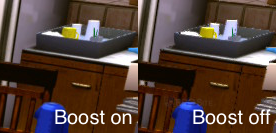
Pokemon Legends: Arceus
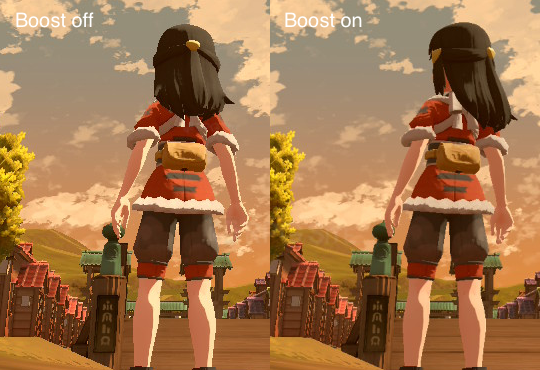
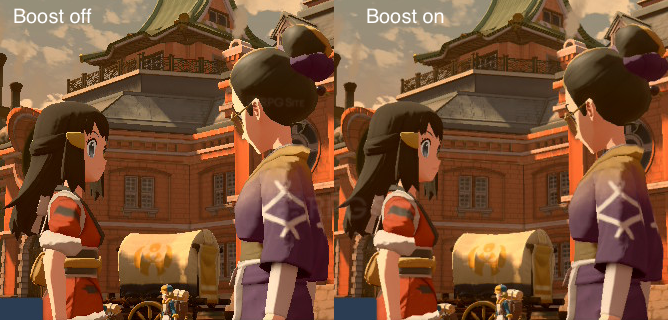
Pokemon Legends: Arceus looked decent on the original Switch, but lacked smoothing which caused noticeable jagged edges and flickering. Playing on the newer Switch handheld mode still shows these jagged edges, especially since it runs at the same 720p resolution. However, using the new Switch’s boost mode improves the visuals, bringing them closer to the smoother 1080p experience seen when docked. While the game isn’t perfectly smooth, it looks better on the go than it did on the original Switch. Aside from this improvement, the game’s graphics remain unchanged on the newer console.
Tales of Vesperia: Definitive Edition
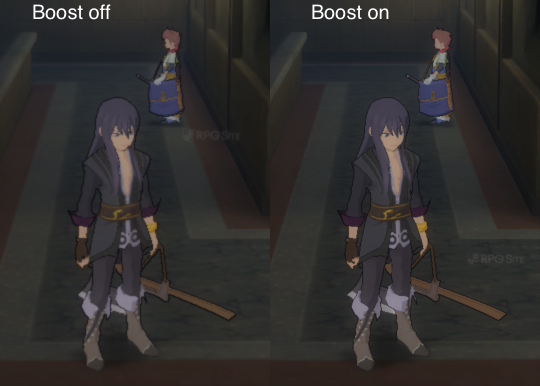
I already noticed a big performance jump with Tales of Vesperia when I played it on the Switch 2, as I talked about in my feature on the Tales series. Honestly, the graphics weren’t amazing when playing in handheld mode, but using boost mode makes a huge difference. It really improves the image quality and keeps that performance boost, making it a great way to enjoy Tales of Vesperia on the go.
The Hundred Line -Last Defense Academy-
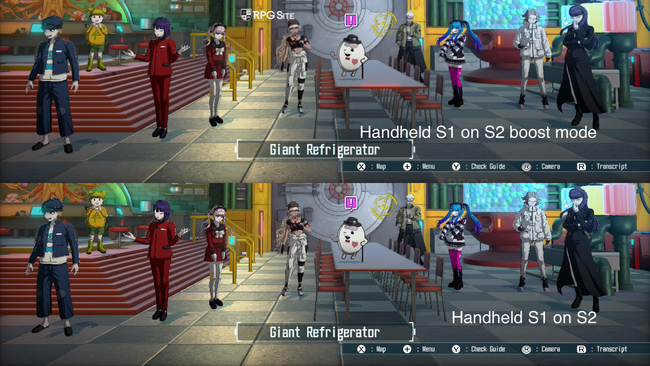
The game ‘The Hundred Line’ had problems displaying character portraits clearly on both PC and the original Switch. These issues were even more noticeable on the Switch 2’s screen. However, using the Switch 2’s ‘boost mode’ with the docked settings while playing handheld significantly improves the visuals. Not only does the game run at a steady 30 frames per second, but portraits and other 2D elements look much sharper and clearer. This makes for a much better handheld experience, and I’m hoping the developers will release a native 60fps version in the future.
The Legend of Heroes: Trails from Zero and The Legend of Heroes: Trails to Azure
The Switch versions of Trails from Zero and Trails to Azure were already superior to the PS4 versions because of excellent porting work. These versions included improvements originally made for PC, and displayed a clear, native resolution both when played on a TV and in handheld mode. Now, on the newer Switch, these games have been further enhanced, upgrading the resolution from 720p to 1080p when played handheld. This improvement isn’t just limited to the 3D graphics and effects; the user interface and character portraits also appear sharper and clearer thanks to crisper fonts.
Unicorn Overlord
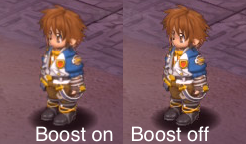
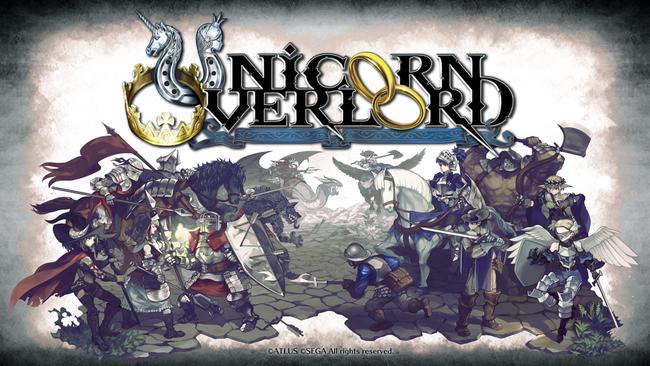
Unicorn Overlord looked fantastic on the Switch OLED, running at a smooth 60 frames per second with a sharp image. On the new Switch with its enhanced processing power, the game receives a visual boost similar to what 13 Sentinels received – everything appears noticeably crisper. I haven’t encountered any issues, and it’s great that all the text and menus are clearer when playing in handheld mode.
Xenoblade Chronicles: Definitive Edition
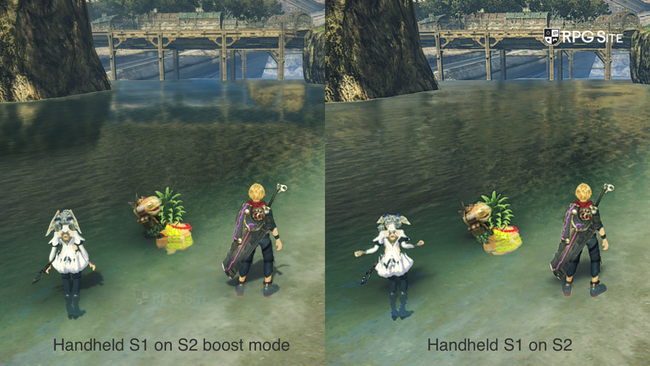
Xenoblade Chronicles: Definitive Edition looked great on the original Switch, and now it looks even better on the Switch 2. Using Boost Mode on the new console not only improves the resolution when playing in handheld mode, but also adds realistic screen-space reflections – a feature previously only available when the original Switch was docked.
Xenoblade Chronicles 2 and Torna
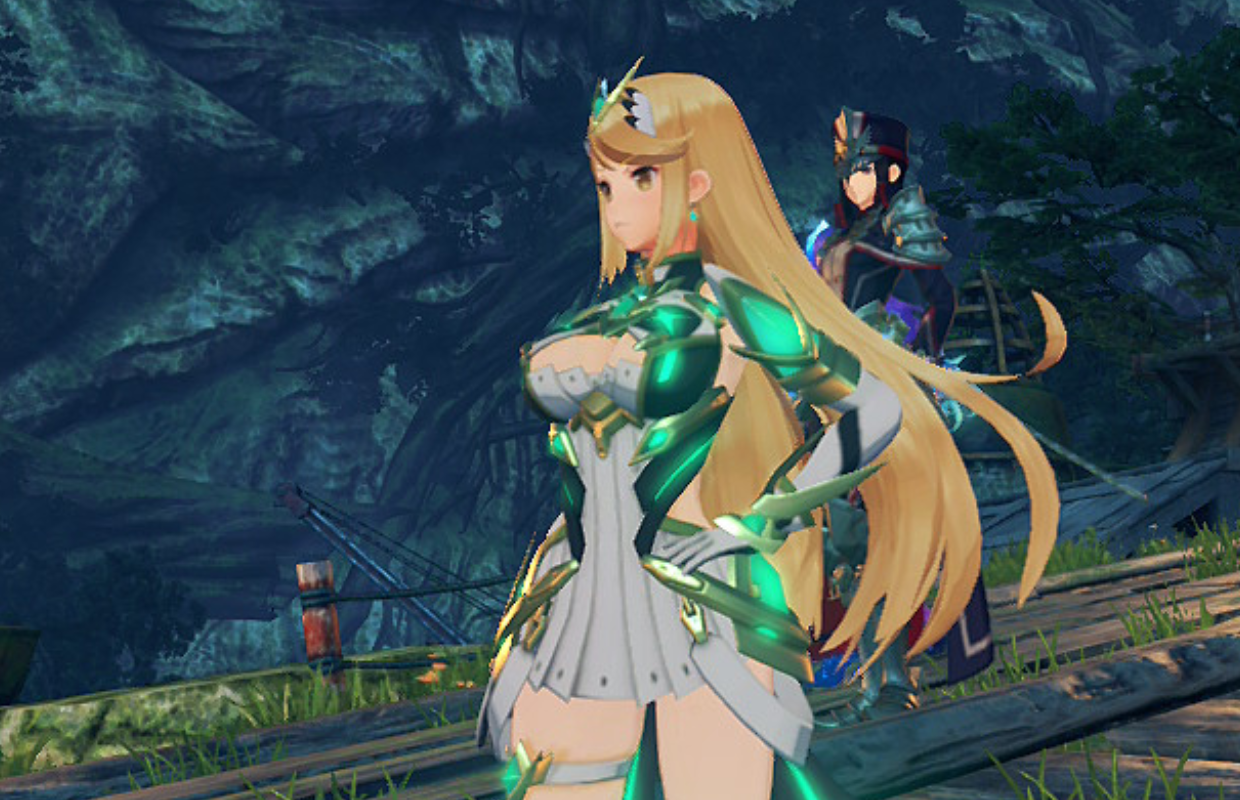
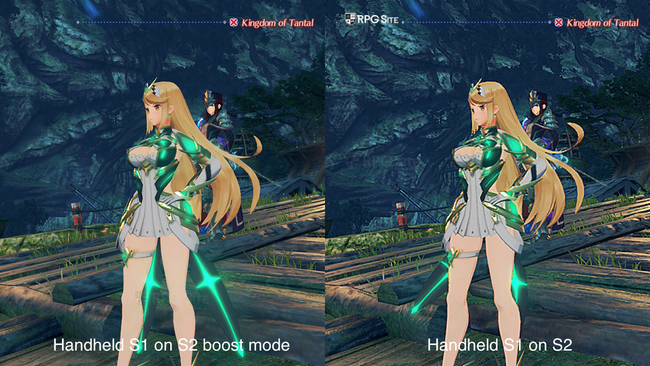
Xenoblade Chronicles 2 was known for its visual limitations when played on the go or with the performance boost feature turned on. However, enabling boost mode noticeably improves the graphics, even starting from the title screen. While it doesn’t look as sharp as more recent Xenoblade games, boost mode reduces oversharpening, making characters like Mythra appear clearer. The game’s interface is also now displayed in full 1080p resolution when played in handheld mode. The expansion, Torna, also looks better with boost mode enabled, building upon the visual improvements already made in Xenoblade Chronicles 2.
I’ll keep updating this article as I try out more games. It will focus on important Switch RPGs that aren’t being made specifically for the new Switch 2 console.
Read More
- Off Campus Season 1 Soundtrack Guide
- Euphoria Season 3’s New R-Rated Sydney Sweeney Scene Proves The Show Is Trolling Us
- Gold Rate Forecast
- DoorDash responds after customer uses AI to make food look bad and get a refund
- Brent Oil Forecast
- What is Omoggle? The AI face-rating platform taking over Twitch
- 8 Funniest Billy Butcher Quotes From The Boys
- EUR CLP PREDICTION
- MNT PREDICTION. MNT cryptocurrency
- Crypto Chaos: Are Your Bitcoins and Ethereums Ready for a Wild Ride? 🚀😱
2026-03-17 15:59