I enjoy all kinds of racing games! I’m a big fan of realistic VR racing in Gran Turismo 7, but I also love the fun and competitive side of games like Mario Kart, Forza Horizon, and Burnout. When reviewing iRacing Arcade, I think my varied taste in racing games is helpful because iRacing is a well-known simulation developer trying out the more casual, arcade-style racing genre.
For racing game enthusiasts, iRacing Arcade is similar to the lesser-known Formula Legends, a charming game that combined realistic Formula 1 elements with a playful, toy-car aesthetic and accessible gameplay. I thought Formula Legends executed this blend perfectly, but in iRacing Arcade, the result was just decent.
I really enjoyed playing the game overall, but some of the design choices were a bit puzzling. It feels like iRacing Arcade tries to be both an arcade-style and a simulation racing game, but doesn’t fully commit to either one, which means it might not strongly appeal to fans of either style.
Fun, Aesthetically-Pleasing Presentation
One of the best things about iRacing Arcade is how great it looks and how smoothly it runs. Even on a standard PC – which is the only platform it’s launching on – I was able to max out the graphics settings and still get fantastic performance.
The game is visually appealing, with bright colors and surprisingly good lighting. The textures look great, and the overall cartoon style makes it a pleasant game to look at, considering its nature. While it doesn’t have the same high-end graphics as some major racing games, that wasn’t the goal – it’s aiming for a different, more lighthearted feel.
The game has a simple, uncluttered interface, and a pleasant, though somewhat repetitive, soundtrack. It’s visually charming, with small, cute avatars for the pit crew and driver – a style you don’t often find in racing games.
The cars are a blast to look at – they’re like miniature, beat-up versions of real cars, but you can still easily tell what they are. Once you earn them in Career Mode, you can also personalize them with different wraps and paint colors.
You can also customize the look of your driver, including their suit, helmet, and visor. In the pictures, you’ll see I chose an orange, blue, and black color scheme inspired by classic McLaren racing teams – I’m a long-time fan, even though their recent performance hasn’t been great! It was still enjoyable creating my own version of a McLaren team, regardless of what the team’s CEO might think.
Racing Gameplay That’s Immediately Approachable, But Perhaps to a Fault
Beyond its fantastic visuals, iRacing Arcade features surprisingly simple gameplay. You steer with the joystick, and that’s about it – the only other controls are for accelerating and braking. It’s remarkably easy to pick up and play.
Honestly, I’m really digging this move! What I love about iRacing Arcade is how simple it is – no complicated setups or anything to distract you. It’s seriously one of the easiest racing games to just jump into and play that I’ve seen in ages. And with five different difficulty settings, it’s perfect for anyone, whether you’re a seasoned racer or completely new to the sport. It just gets you right into the action!
iRacing Arcade doesn’t fully commit to being either a simple arcade racer or a realistic simulation, leaving it feeling somewhat undefined and unlikely to strongly appeal to fans of either type of racing game.
Okay, so the game keeps things pretty simple, which is cool at first. But honestly, even though all the cars handle differently, after a while it starts to feel a little repetitive. Luckily, the AI racers are brutal. They’ll definitely bump you around and aren’t afraid to push you off the track, meaning you’ll be racking up penalties for cutting corners. They really keep things interesting, though!
Initially, I found the other drivers to be quite aggressive. It felt frustrating to be penalized – which drastically slows you down – when I was simply trying to race fairly. However, I discovered you can retaliate by forcing the AI drivers to take penalties too, letting you quickly overtake them while they’re slowed down.
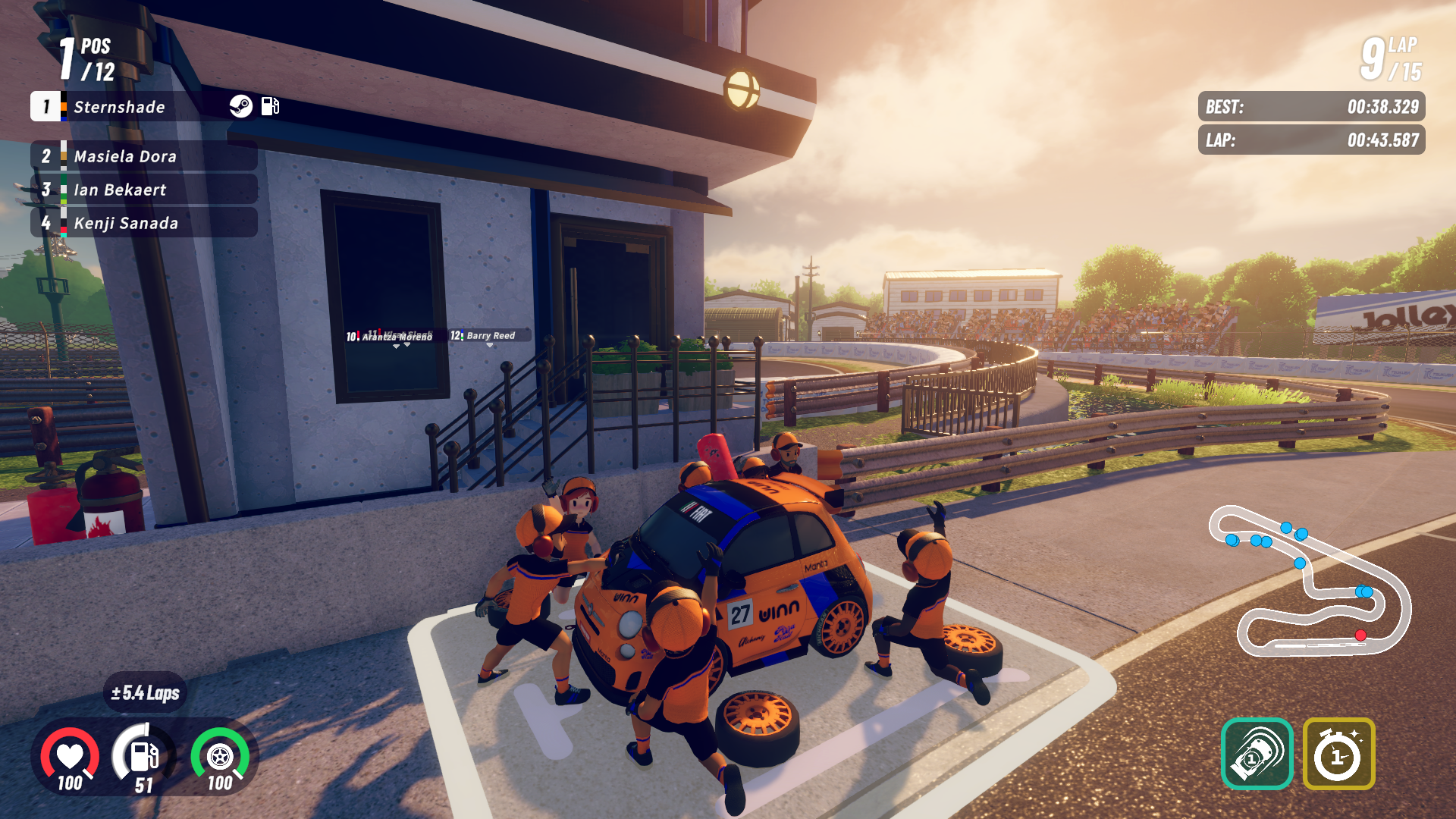
When racing, your car has a health meter, but it rarely matters. You will eventually need to pit to refuel and change tires, especially in longer races, and you’ll definitely feel your car handle worse as your tires wear down. Luckily, pit stops are automatic – just drive into your pit lane and your team takes care of everything without needing any input from you.
It’s okay, but a little bland. Games like Formula Legends added excitement by letting you quickly change tires with a simple action and choose different tire types – soft, medium, hard, or wet – to add a layer of strategy. In iRacing Arcade, however, you don’t have any of those choices, and there’s no changing weather to create interesting decisions about when to switch to wet tires.
I fully expect arcade games to be straightforward, and even something like Mario Kart includes features like drifting, speed boosts, customizable cars, and items to add complexity and a sense of mastery. Unfortunately, iRacing Arcade feels too basic; it mostly involves driving straight, staying on the correct path, and dealing with opponents who constantly bump into you.
You can design your own cars and use performance upgrades you earn in Career Mode, but that’s mostly it. There are no advanced driving aids like DRS or BRS, no detailed drifting controls, and no options to fine-tune your car’s settings. While some players might like how easy the game is to pick up, many will likely find it becomes a little shallow over time.
A Decent Amount of Content with Some Real-World Inclusions
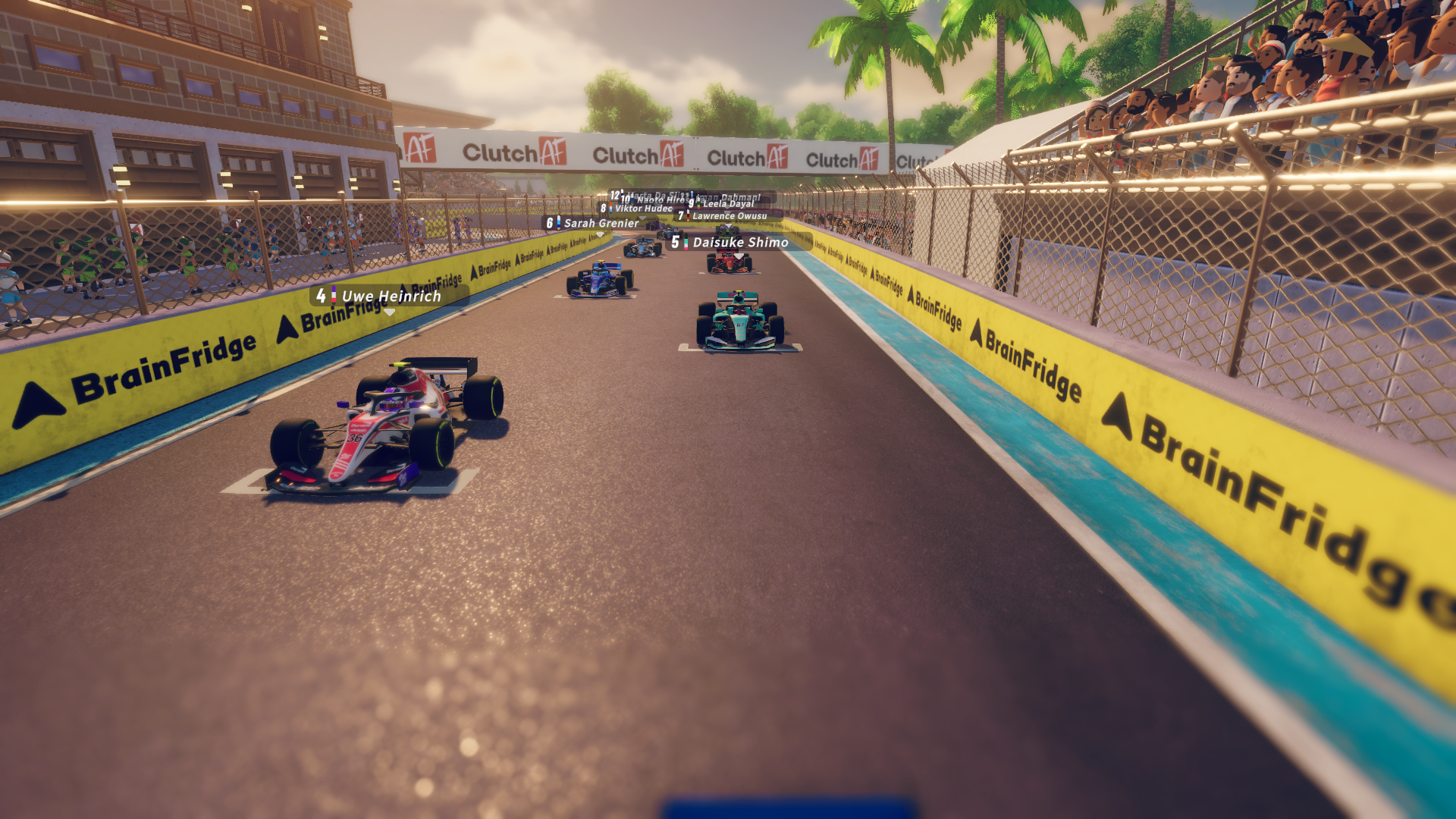
One of the great things about iRacing Arcade is that it features real-world tracks and cars thanks to official licensing. As a big Formula One enthusiast, I especially enjoyed racing on familiar circuits like Miami, Imola, and Bahrain. The tracks are accurately recreated, but everything – both the tracks and the cars – is smaller in scale.
As a Gran Turismo fan, I really enjoyed racing at the Tsukuba Circuit in Japan again – they even included a playful take on the Dunlop tire archway, calling it “Funlop.” The game features a total of 14 tracks, including real-world locations and original designs. I enjoyed most of them, but some felt a little strange to drive on when scaled down. For instance, the Bahrain track felt too tight and narrow in several corners when made smaller.
Initially, people will likely find it easy to use, but they may soon discover it lacks depth and becomes unsatisfying.
The game features several well-known cars, including a Fiat 500 and Porsche 911, alongside various racing vehicles like Formula cars, touring cars, LMP2s, and GTPs. In total, there are eight cars you can drive, which is a good selection, and they all handle and sound distinct. While the cars are enjoyable, I was hoping to see a wider variety of vehicles from actual manufacturers.
While I appreciated the 14 tracks and 8 cars, and the game’s straightforward controls, I did find the limited selection became repetitive fairly quickly. I realize it’s a lot to ask, but I hope the developers continue to add more content to iRacing Arcade in the future.
iRacing Arcade offers three ways to play: a Career mode, a free-play option, and online multiplayer (you can’t play split-screen with friends locally). I didn’t have a chance to try the online multiplayer before the game came out, but it’s a great addition and seems like a lot of fun. Other similar games, like Formula Legends, didn’t have this feature when they launched, which was a major drawback. iRacing Arcade also includes online time attack leaderboards where you can race against the ghosts of other players.
One frustrating thing about playing online is the limited ways to find live matches. You’re basically stuck either creating a private game and inviting friends with a code, or joining a game someone else has already set up. It’s strange that there aren’t options like matchmaking or public lobbies, and it makes the online experience feel a little lacking.
Free Play mode lets you create custom races with complete control. You can pick any car, track, and adjust settings to your liking. What really stands out is the level of detail – you can precisely adjust how challenging the AI opponents are, add different modifiers, and even include a qualifying session to determine the starting order for the race.
Career Mode is built around completing racing seasons to earn money and level up your team. You’ll gain progress by racing well, advancing your career, and upgrading your team’s facilities.
As a fan, I’d describe the Campus mode as a really accessible introduction to building your own racing empire – kind of like a simplified SimCity. You start unlocking and constructing things like garages, workshops, and research facilities, and you can even customize the look of your campus with decorations. The cool part is that upgrading these buildings gives you actual advantages in races. My only frustration is that it can take a while to earn enough in-game currency to build everything, which slows down the feeling of making progress. It’s a bit of a grind, honestly!
A Few Head-Scratching Mode Differences and General Omissions
The game has some odd inconsistencies between its different modes. For instance, Free Play lets you qualify for races, but Career Mode doesn’t have qualifying at all, which is a real letdown. In Career Mode, you always start each race at the very back of the pack and have to fight your way forward. While some other racing games do this, it’s strange that this game includes qualifying in one mode but not the other.
The game lets you precisely adjust the AI difficulty in Free Play, using a scale from 0 to 100. Career Mode, however, only has five preset difficulty levels you can’t change. This was frustrating because my skill level often fell between those options, forcing me to choose between winning every race effortlessly or struggling to finish on the podium. It doesn’t make sense that I have more control over the AI in Free Play – a mode I’ll likely use much less and spend far less time playing.
Beyond the odd inconsistencies between game modes, I was also frustrated by a few general bugs and missing options. For example, opponents’ names are constantly displayed above their cars during races, which is visually cluttered and distracting. There’s no way to turn this feature off, and even more annoyingly, the names don’t always appear consistently – sometimes they’re there, sometimes they’re not, seemingly at random.
The on-screen tower that shows driver positions and timing doesn’t display gaps between drivers, making it hard to maintain your lead, decide when to pit, and monitor your competitors. It also lacks sector times, which are important for tracking your performance and identifying areas for improvement during a race.
These issues may seem minor on their own, but given how iRacing Arcade presents itself, they really stand out during gameplay. Hopefully, the developers will add these quality-of-life improvements in future updates, as they would greatly enhance the overall experience.
iRacing Arcade feels a little unclear in its overall direction. While I’ve enjoyed playing it, it’s hard to say who the game is really meant for. It aims to be an easy-to-pick-up arcade racer, but lacks the features to keep things interesting for long. It also tries to attract sim racing fans, but surprisingly omits simple features like lap time comparisons. It’s a fun game, but ultimately falls short of being great in a few key areas.
Closing Comments
iRacing Arcade is a fun and easy-to-learn racing game, making it a good choice for people new to the genre. While consistently enjoyable, it feels a bit limited. It has some odd choices in its game modes, lacks features commonly found in racing games, and isn’t as deep as other arcade racers. It’s worth a look, especially for the price, but it probably won’t become one of my go-to racing games.
Read More
- Gold Rate Forecast
- What is Omoggle? The AI face-rating platform taking over Twitch
- Wartales Curse of Rigel DLC Guide – Best Tips, POIs & More
- Elden Ring Is Back With A New Free Game, Thanks To The Fans
- Audible opens first ‘bookless bookstore’ in New York
- 10 Adorable Quotes from Diana in Pragmata
- The 10 Best Performances In The Star Trek Movies, Ranked
- Senate Crypto Gamble Advances: What Price Does the Soul Pay?
- 10 Superhero Games No One Remembers
- Meryl Streep Confirms “Beef” With Oscar-Winning Actor In Classic ’90s Fantasy Horror Movie
2026-03-03 20:12