This week sees the release of Pragmata on PlayStation 5, Xbox Series X|S, Nintendo Switch, and PC (via Steam). I’ve spent time playing the game on various systems – including the Nintendo Switch 2, PS5 Pro, PS5, Xbox Series X, Steam Deck, and ROG Ally – to test performance, compare loading speeds, and look at the features each version offers. This article will help you choose the best platform to play Pragmata on and highlight how Capcom has managed to deliver a consistent experience across consoles and handheld PCs.
Pragmata feature differences across platforms
Before discussing how Pragmata looks and performs on different systems, it’s important to know that the game has some feature variations depending on which platform you’re using and which version you have.
Here’s a breakdown of Pragmata’s features on each platform:
PlayStation 5: Pragmata fully utilizes the DualSense controller, with immersive haptic feedback, adaptive triggers, and even uses the lightbar and speaker to enhance gameplay. It also features excellent gyro controls.
Xbox: Pragmata supports Quick Resume, allowing you to switch between games quickly, but it doesn’t offer Play Anywhere cross-platform functionality.
Nintendo Switch 2: Pragmata can be played both on the go and when docked. It includes HD rumble and responsive gyro controls, plus exclusive support for amiibo figures.
PC (Steam): The Steam version of Pragmata is playable on the Steam Deck and boasts improved graphics compared to the console versions. It also features well-implemented keyboard and mouse controls.

Pragmata visuals and performance differences across PS5 Pro, Switch 2, PS5, Xbox, and PC
Pragmata on PS5 and Xbox Series X offers two graphics settings: one focuses on delivering the best possible image quality at 60 frames per second, while the other prioritizes a consistently smooth 60fps experience with slightly reduced visual details. On the more powerful PS5 Pro, the game has a primary mode that significantly improves graphics and performance compared to the standard consoles, and an additional high-performance mode that removes the frame rate limit for even smoother gameplay.
When using a PS5 or Xbox, I found that prioritizing resolution for VRR doesn’t work as well because the frame rate often dips below a consistent 60fps. However, performance or frame rate mode maintains a steady 60fps on the standard consoles. Even from the start, the resolution mode frequently drops to the mid-50s in terms of frame rate.
The upcoming Nintendo Switch 2 doesn’t have different graphics settings, but it can be played either on your TV (docked mode) or as a handheld device. While playing in each mode, you might notice some differences in how the game looks and performs, but the game aims to run at a smooth 60 frames per second in both.
Okay, so I’ve been checking out Pragmata, and honestly, the jump from the regular PS5 to the PS5 Pro feels bigger than what I saw with Resident Evil 9. It’s mostly about how much better the image looks. RE9 definitely got a boost on the Pro, but the original PS5 version wasn’t bad, just had a few issues. Pragmata, though, had a lot of shimmering and jagged edges that were really noticeable. But the PS5 Pro, especially with that new PSSR upscaling, smooths everything out. The image is way more stable, textures look sharp, and the filtering is just fantastic. It makes a huge difference!
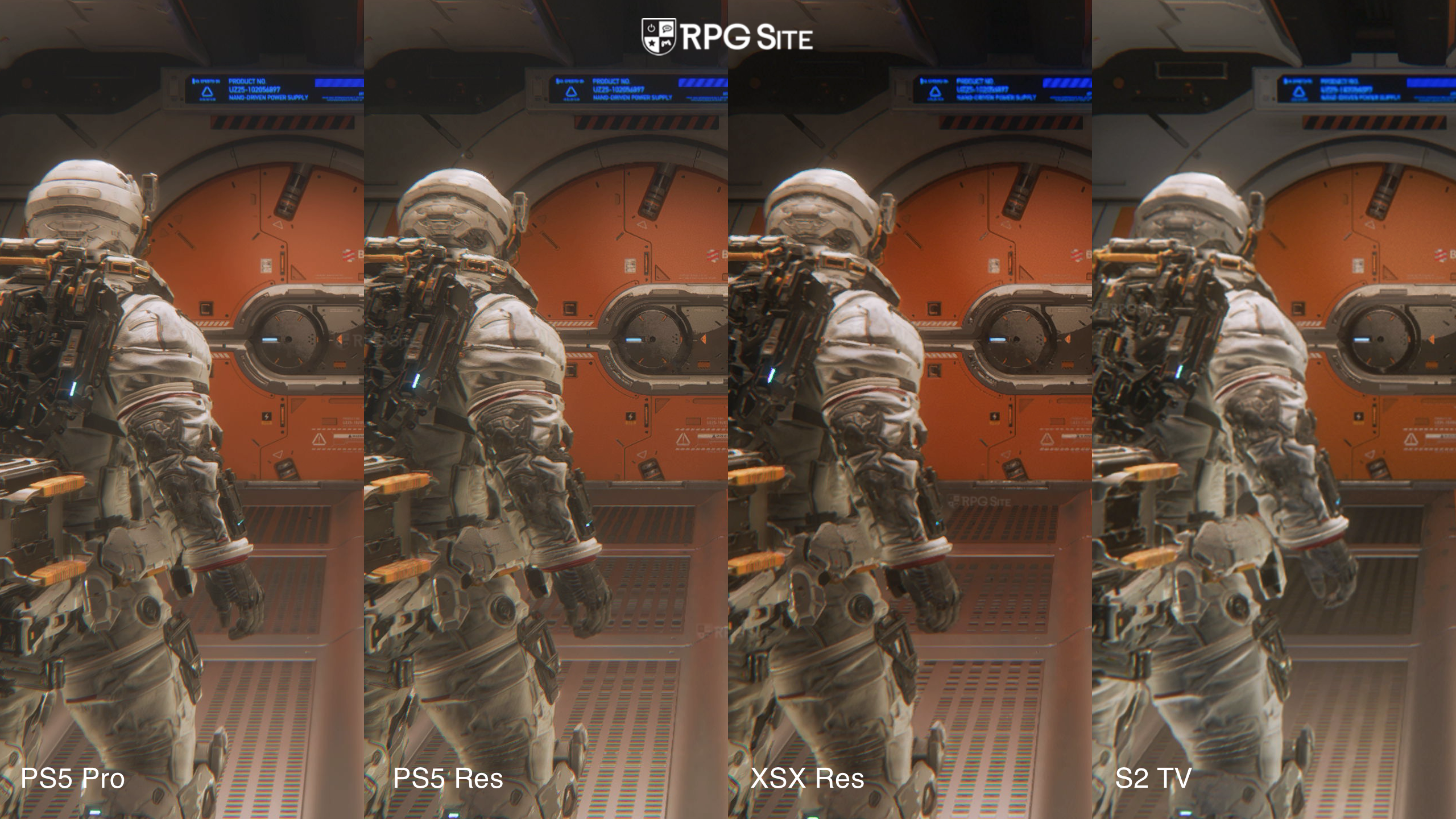
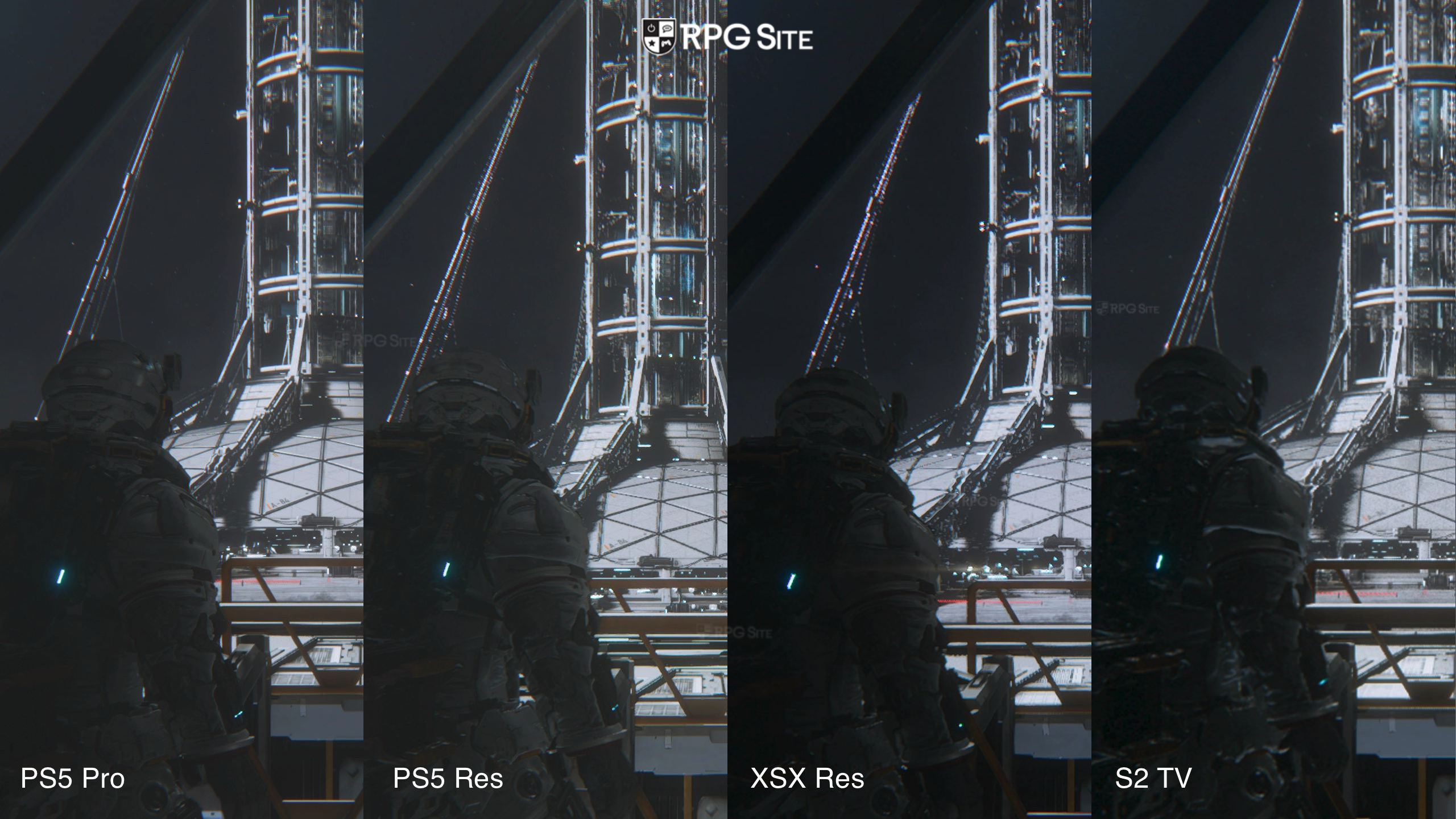
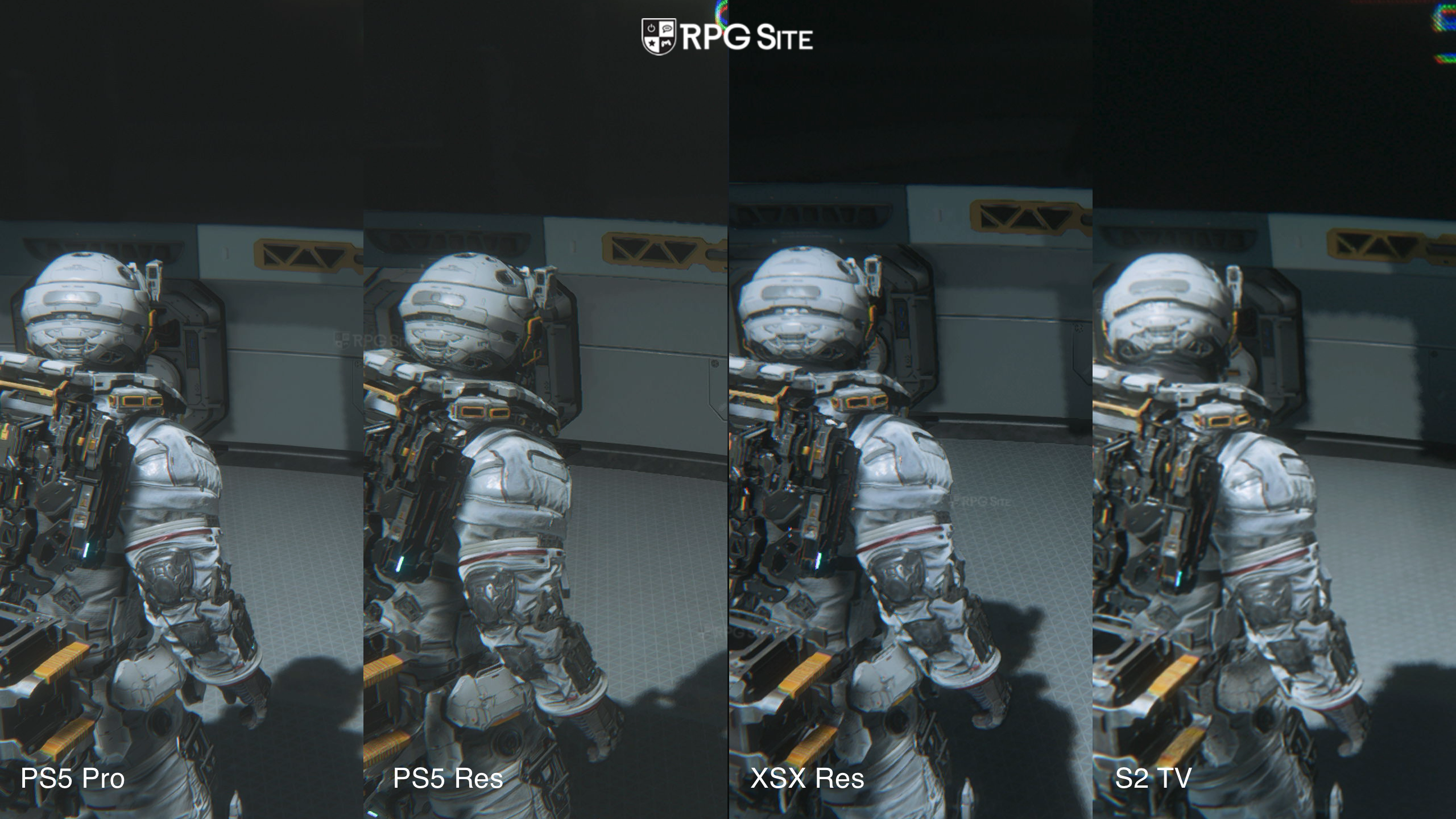
Just so you know how I compared these games across consoles, I made sure to use the ‘prioritize resolution’ setting on both the PS5 and Xbox Series X. But on the PS5 Pro, I used the default mode (and turned off high frame rate). I recorded everything in 4K, and I zoomed in on different parts of the screen to really show the differences in things like how sharp the image was, the shadows, the textures, and other visual effects. I also made sure the PS5 Pro was using its best image upscaling tech, which I enabled in the system settings.
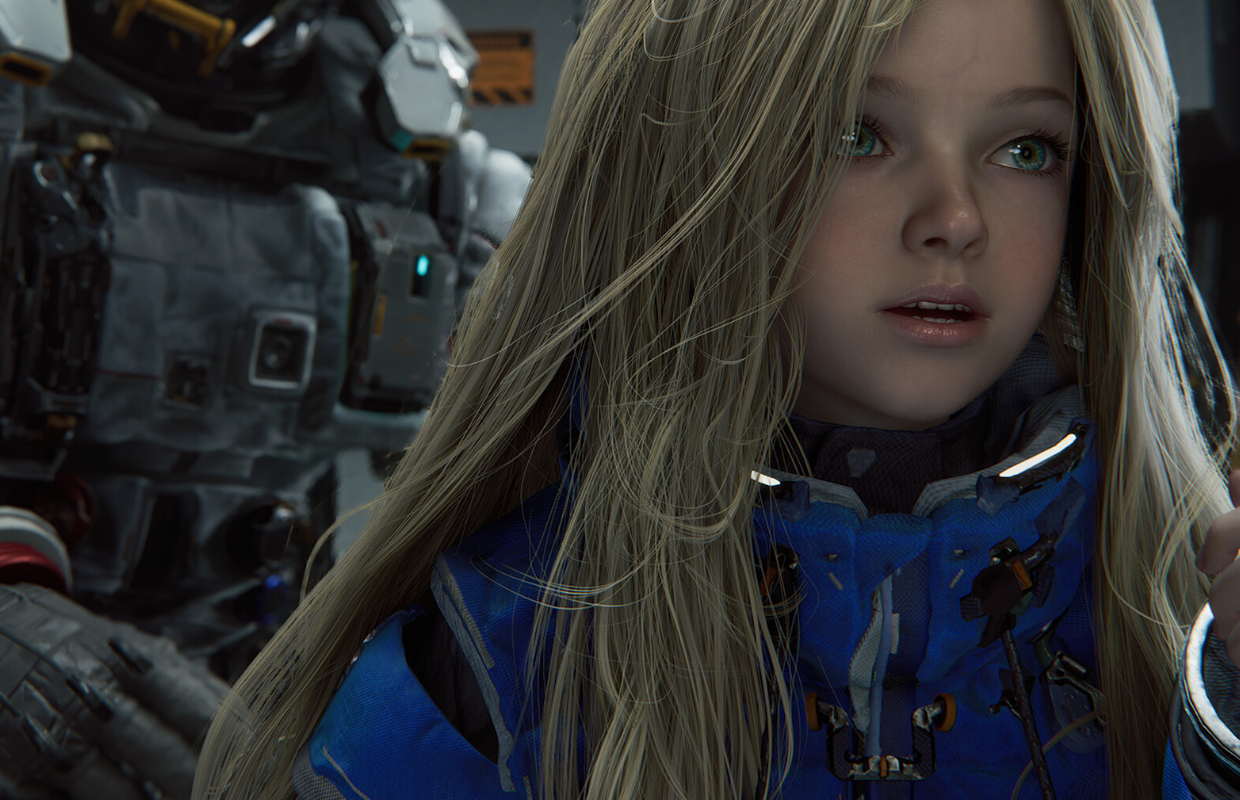
The PlayStation 5, Xbox Series X, and the upgraded PS5 Pro all include detailed hair rendering for the character Diana, and it’s clear this was intended to be a key visual highlight of the game – her hair is prominently displayed throughout cutscenes and during gameplay animations. That’s why it’s a letdown that the Switch 2 version won’t include this feature.
Overall, the Switch 2 provides a good visual experience when played on a TV. However, the performance isn’t quite as consistent as I’d like. If the system supported VRR when docked, many of my concerns would be addressed. The Switch 2 version of Pragmata isn’t a huge step down visually, though things like hair and reflections appear blockier, and it lacks the ray tracing seen on PlayStation 5 and Xbox. These compromises are understandable, and the option to limit the frame rate to 40fps would have been a significant improvement.
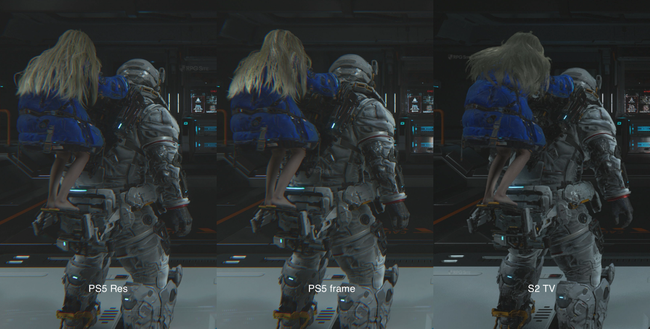
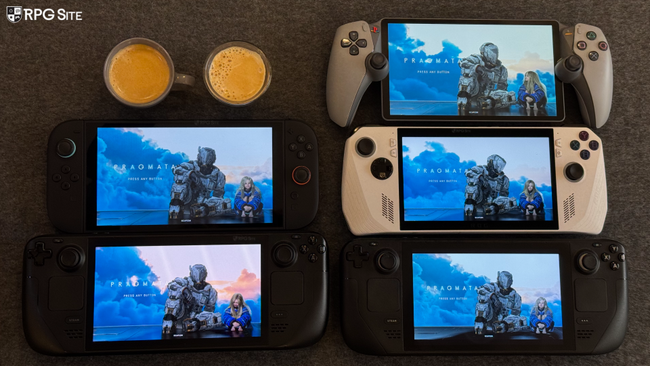
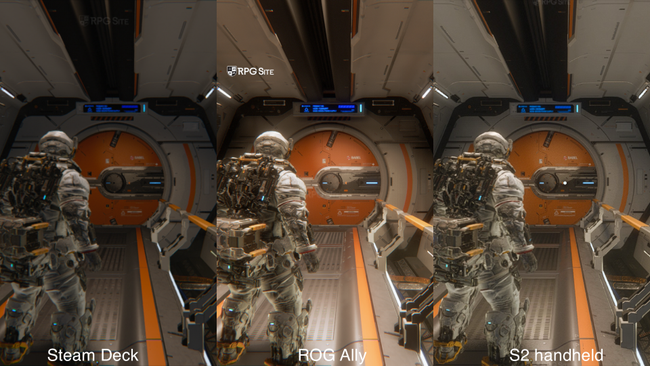
I have to say, I’m pretty disappointed with how Pragmata runs in handheld mode on the Switch 2. The graphics take another hit in quality, but more noticeably, the performance is just not good. I mentioned in a recent article that handheld mode never really felt right, and that’s still true here. Honestly, I can’t really recommend playing Pragmata on the go right now. It desperately needs an option to lock the frame rate at 30fps, or just some serious optimization to hit a stable 40fps. Trying for 60fps is pointless when it’s running this poorly.
Currently, PC handhelds are limited to FidelityFX Super Resolution 1 or 3. While these aren’t as stable as DLSS, they still offer a smoother gaming experience than the Switch 2, especially with some adjustments. The ROG Ally also produces a sharper image.
Pragmata load times across PS5 Pro, Switch 2, PS5, Xbox, Steam Deck, and PC
To check how quickly games load, I installed Pragmata on the built-in storage of several devices: the PlayStation 5 Pro, PlayStation 5, Xbox Series X, ROG Ally, Steam Deck OLED, and the original Steam Deck LCD. My LCD Steam Deck is running a preview version of SteamOS, while the OLED Steam Deck has the latest official release. I timed how long it took to get to the game’s title screen from each device’s home screen, and also how long it took to load a game from within the game itself. The loading times are listed below, measured in seconds.
| Platform | Dashboard to title | Loading save |
| PS5 Pro | 18 | 6 |
| PS5 | 18 | 6-7 |
| XSX | 24 | 7 |
| Switch 2 | 34 | 10 |
| Steam Deck LCD | 35-36 | 16-17 |
| Steam Deck OLED | 37 | 17 |
| ROG Ally | 42 | 20 |
The PlayStation 5 consistently loads the fastest, with the Xbox Series X close behind. The Switch 2’s loading times are reasonably good, but the Steam version was surprisingly slow on all my handheld devices. I also encountered some digital rights management (DRM) problems while testing different versions on the Steam Deck – something that usually only happens after switching between many versions, but it occurred after just one change in the game Pragmata. I’m hoping this isn’t an issue in the final release, as it could be frustrating for Steam Deck users. Aside from the DRM issue, I’d like to see faster launch and save times for the game on PC handhelds.
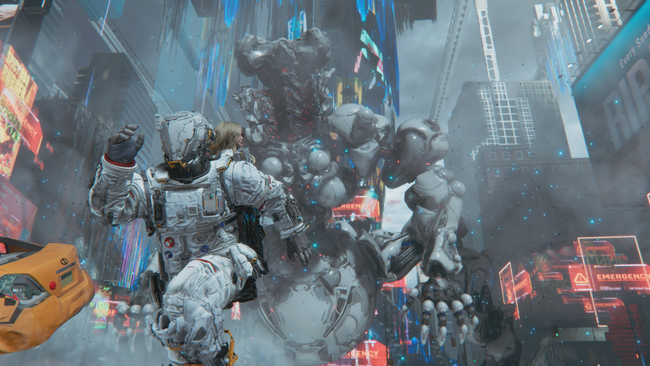
Which version of Pragmata is the best?
Okay, so I don’t have a super powerful gaming PC, but I’ve been playing on both the original PS5 and the new PS5 Pro, and let me tell you, the PS5 Pro is a huge step up. I’ve tried out a ton of games on both consoles, and the difference in picture quality, how smoothly games run, and overall performance with Pragmata is way more noticeable than I thought it would be. It’s seriously impressive!
Okay, so I’ve tested a bunch of handhelds, and honestly, the ROG Ally Z1 Extreme gives you the best portable gaming experience. It just looks better and runs smoother than the Steam Deck. The Steam Deck is way more consistent at around 40fps than the Switch 2 when I’m playing on the go, but the Switch 2 actually has better graphics thanks to DLSS. If Capcom could just let me lock the frame rate, I’d pick the Switch 2 over both of them because the gyro aiming and HD rumble are seriously awesome.
Which version of Pragmata should you buy today?
Since everyone values different things, I’ll wrap up this article by outlining the pros and cons of each Pragmata version.
Here’s a breakdown of how Pragmata plays on different platforms:
Switch 2: The Switch 2 is unique as it lets you play on the go or docked, but the handheld experience isn’t great right now. If you really like motion controls, this version is the best choice. Performance dips in certain areas, but if you played the demo, it won’t be much worse. While a frame rate cap would be nice, it’s unlikely to be added. Docked play is solid, but handheld mode needs improvement.
Steam (PC): The PC version offers the best visual features, including ultrawide support and superior ray tracing. It also runs at higher frame rates. However, the DRM (digital rights management) is more intrusive than in other recent Capcom PC games.
Xbox Series X: The Xbox version is a good way to play, despite the lack of cross-platform play with other devices. Quick Resume helps offset the longer loading times compared to the PS5.
PlayStation 5: The PS5 version is the best console experience overall, and even better on the PS5 Pro with improved graphics and stability. It offers the fastest loading times, trophy support, and utilizes the DualSense controller features. If you primarily play on a TV and don’t need portability (except through streaming), this is the version to get.
We hope this guide helped you figure out where to buy Pragmata, a top game of the year and another fantastic release from Capcom. If you’re interested, you can find our complete review here, a detailed article about the Switch 2 here, and everything you need to know about the downloadable content here.
Pragmata is now available for PlayStation 5, Xbox Series X|S, Nintendo Switch, and PC (Steam).
Read More
- Solo Leveling’s New Manhwa Chapter Revives a Forgotten LGBTQ Story After 2 Years
- Gold Rate Forecast
- All Itzaland Animal Locations in Infinity Nikki
- The Boys Season 5 Spoilers: Every Major Character Death If the Show Follows the Comics
- How to Get to the Undercoast in Esoteric Ebb
- Smarter, Faster Networks: Optimizing Early-Exit Architectures for Edge AI
- Woman fined $2k over viral googly eyes graffiti on $100k statue
- Focker-In-Law Trailer Revives Meet the Parents Series After 16 Years
- CBR’s Official Spring 2026 Anime Series Power Ranking (Week 1)
- ‘The Pitt’ Season 3 Is Repeating Season 2’s Biggest Time Jump Mistake
2026-04-16 15:28