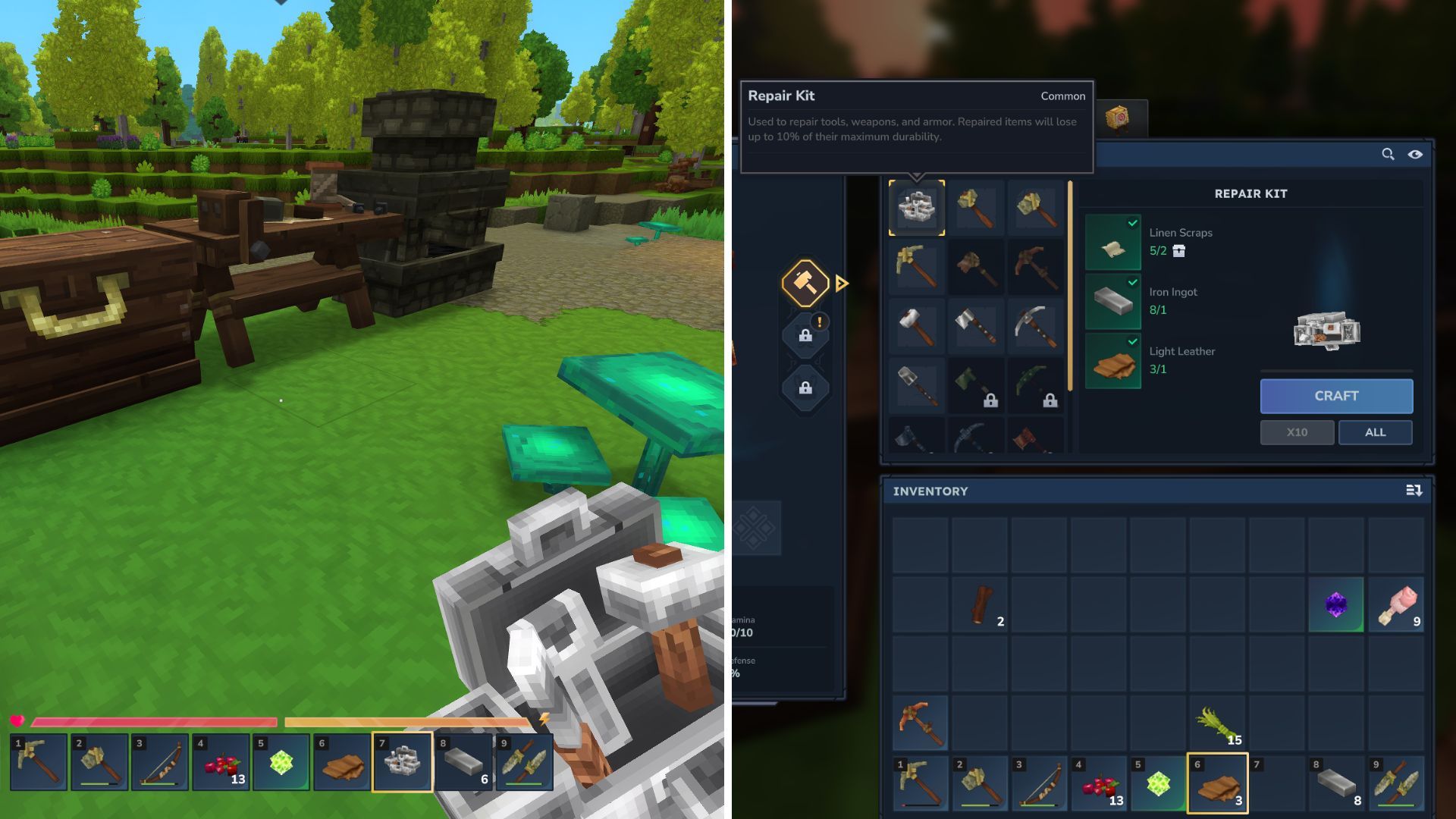
In Hytale, you can always count on two things: fighting off monsters and using tools. You’ll need tools to gather resources, find food, and do just about everything else.
Like most survival games, your tools will wear down and eventually break. Instead of crafting a new tool each time, you can fix the one you have to keep it going longer.
Let’s break down how to repair your tools and weapons in Hytale, so you can keep on going.
Crafting Repair Kits in Hytale
Fixing your weapons and tools in Hytale is easy! Just use a Repair Kit to bring their durability back to full.
As with most things in a survival game, it’s not as simple as it sounds. To get a Repair Kit, you’ll have to craft it yourself.
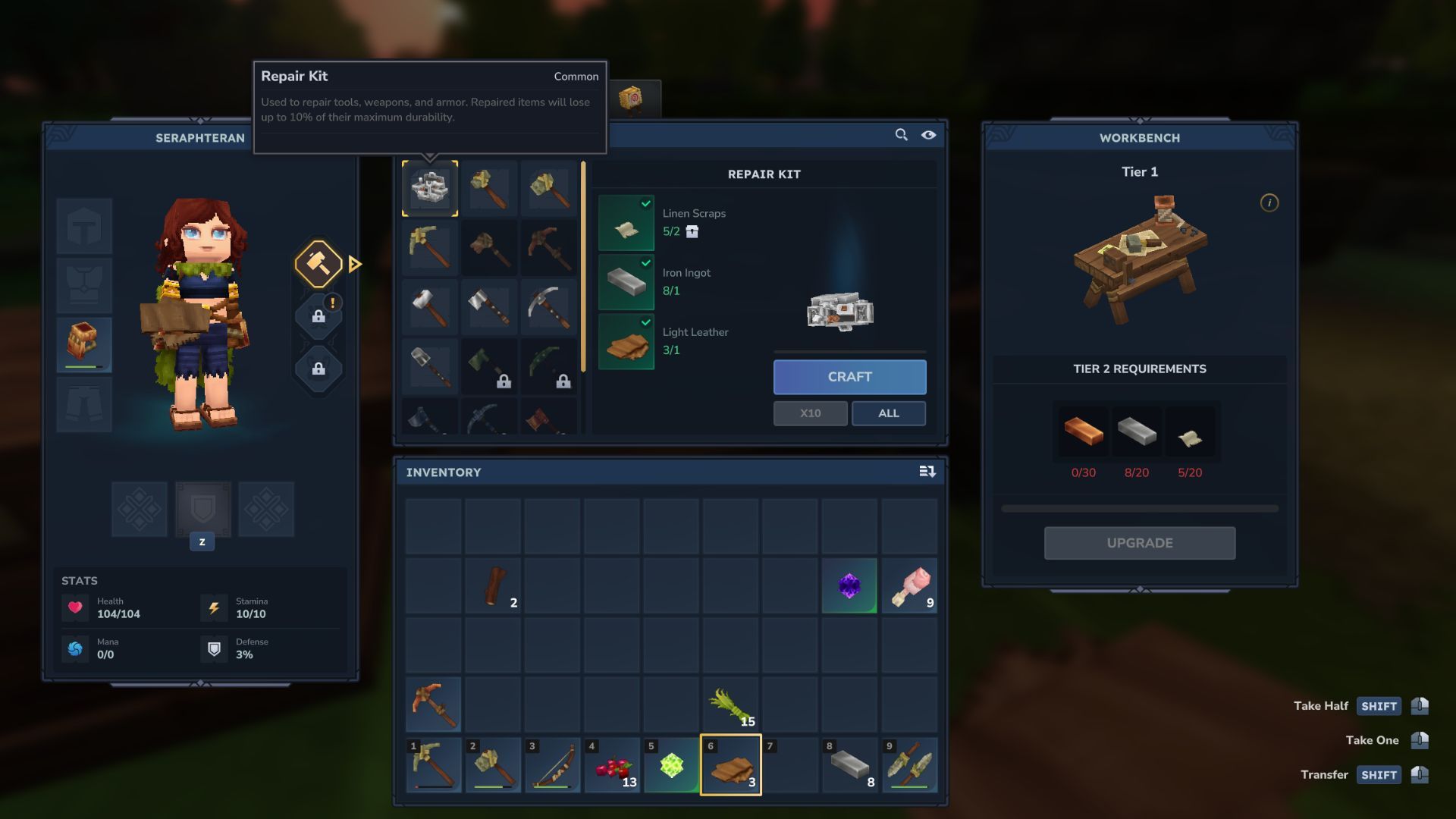
Building a Repair Kit requires three items:
- Linen Scraps
- Iron Ingot
- Light Leather
Okay, so first up, Linen Scraps. You get these by just killing the regular enemies – skeletons and goblins. Luckily, they’re everywhere in the starting area, the Emerald Wilds, so I was able to farm a few pretty quickly when I first started playing. Just beat up on some skeletons and goblins, and you’ll have the Linen Scraps you need in no time.
Now you’ll need an Iron Ingot. It’s a common material used in many early crafting recipes in Hytale, and you can find it by mining underground. The best way to get it is to explore the caves throughout the world. Once you have Iron Ore, simply smelt it in a furnace to create Iron Ingots.
Okay, so you’ll also need some Light Leather. I usually farm chickens for Light Hide – they drop it when you beat them. Then, you just stick the Light Hide on a tanning rack and boom, you’ve got Light Leather! It’s a pretty simple process, honestly.
Once you’ve gathered everything you need, you can craft a Repair Kit at a workbench. Open the workbench menu, then choose the ‘Tools’ section – it’s marked with a pickaxe icon.
Choose the Repair Kit – it’s the first option at the top left of the menu. Then, select the ‘craft’ button to add it to your items.
How to Use a Repair Kit

With a Repair Kit now in your inventory, move it to your hotbar. Then, either hover your mouse over the item on the hotbar, or press the number key assigned to it to select it.
Subscribe to the newsletter: Hytale crafting tips included
To use the Repair Kit, simply left-click with your mouse. A menu will then pop up, letting you choose the item you want to fix.
Choose the item you want to fix, and your Repair Kit will restore it to full condition, letting you continue using it.
Read More
- United Airlines can now kick passengers off flights and ban them for not using headphones
- All Golden Ball Locations in Yakuza Kiwami 3 & Dark Ties
- Gold Rate Forecast
- 8 Actors Who Could Play Blackbeard In One Piece Live-Action Season 3
- How to Complete Bloom of Tranquility Challenge in Infinity Nikki
- How to Solve the Glenbright Manor Puzzle in Crimson Desert
- 15 Lost Disney Movies That Will Never Be Released
- These are the 25 best PlayStation 5 games
- How to Get to the Undercoast in Esoteric Ebb
- What are the Minecraft Far Lands & how to get there
2026-01-19 19:39