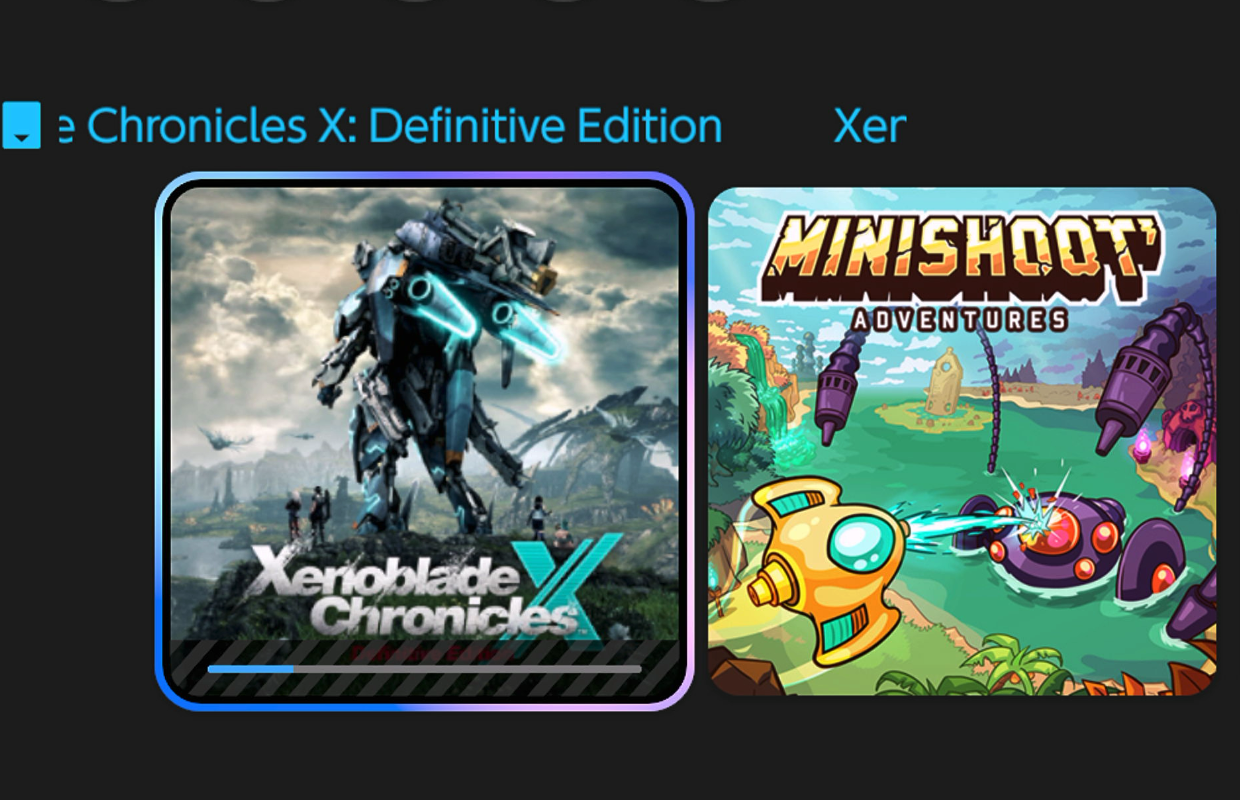
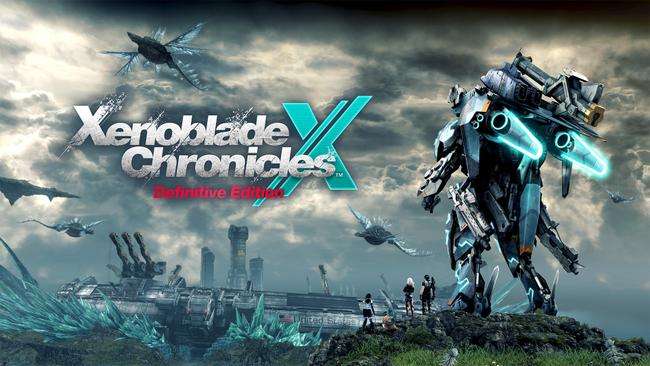
Nintendo recently updated Xenoblade Chronicles X: Definitive Edition for the Nintendo Switch 2, offering a $4.99 upgrade for those who already own the game. While the update significantly improves the game’s performance, especially the frame rate, the visual quality in handheld mode suffers due to issues with upscaling, causing warping and distortion. These problems are less noticeable when played docked, but still present. As a digital and physical owner of the game, I looked into reverting to the original Switch version. This guide explains how to downgrade Xenoblade Chronicles X: Definitive Edition from the Switch 2 Edition to the original Switch version, allowing you to take advantage of features like Handheld Boost Mode and enjoy a better visual experience.
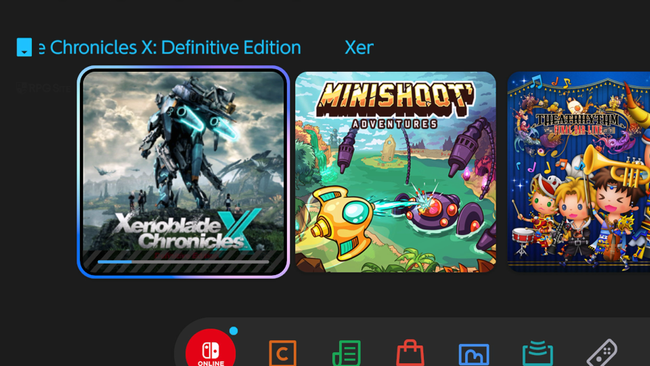
After removing the game cartridge (if you have one), or if you downloaded the game, delete it through the console’s Manage Software menu. This ensures a smooth process and won’t erase your saved progress. I’ve tested this with four different games, including Xenoblade Chronicles X, both on physical cartridges and digital downloads, and it works reliably.
How to downgrade Xenoblade Chronicles X: Definitive Edition Nintendo Switch 2 Edition to the Switch 1 edition if you own XCX physically
If you bought a physical copy of Xenoblade Chronicles X: Definitive Edition and the digital upgrade for $4.99, you’ll need to remove the virtual game card. If you pre-ordered or purchased the early access DLC, this process might have an extra step. I’ve outlined instructions for both scenarios.
If you do not own the early purchase bonus with a physical copy of Xenoblade Chronicles X: Definitive Edition
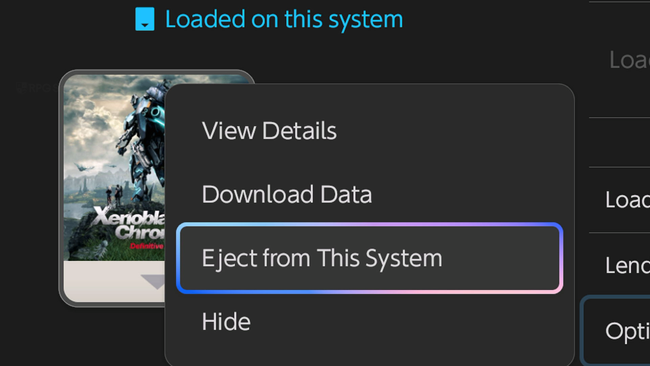
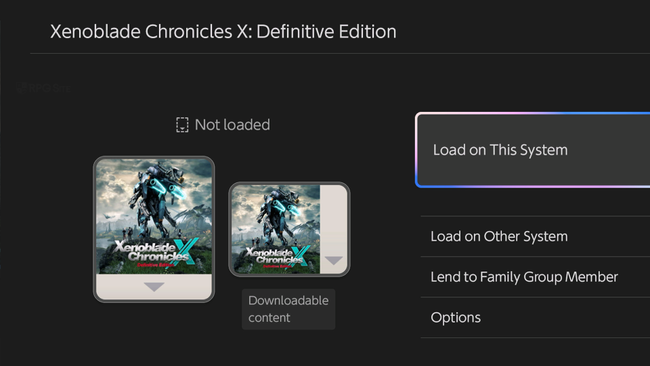
- Go into the Virtual Game Card menu on the Switch 2 dashboard indicated by the card symbol next to settings. You can also select Xenoblade Chronicles X: Definitive Edition / Switch 2 Edition and select the Nintendo eShop under Software Information followed by selecting the user which owns the game or DLC.
- In the Virtual Game Card page for Xenoblade Chronicles X: Definitive Edition Nintendo Switch 2 Edition, go into Options and select “Eject from This System”.
- When you insert the cartridge and update it, your game will now just be the Switch 1 version of Xenoblade Chronicles X: Definitive Edition when you try to play it on Switch 2 and it will download only updates for that. This will not refund or remove the purchase for the Switch 2 Edition Upgrade Pack. You can redownload it any time using the same steps.
If you own the early purchase bonus with a physical copy of Xenoblade Chronicles X: Definitive Edition
To get everything working, you’ll need to do a little extra. The early purchase bonus and the Switch 2 Edition Upgrade Pack are both considered downloadable content (DLC) for Xenoblade Chronicles X: Definitive Edition.
- Go into the eShop page for Xenoblade Chronicles X: Definitive Edition and then scroll down to the Xenoblade Chronicles X: Definitive Edition Switch 2 Edition Upgrade Pack that you own.
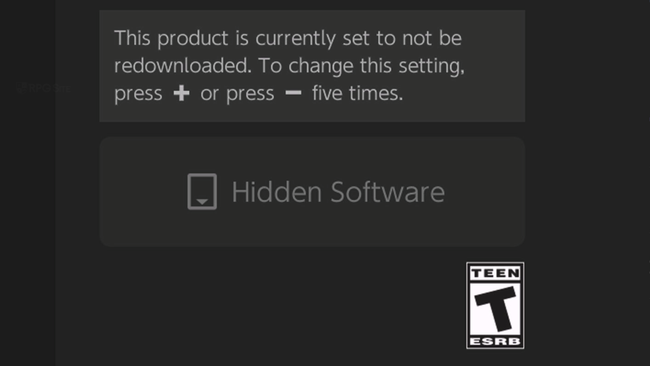
- From here, press + or – on the controller five times in a row. You will notice the right button changes to say Hidden Software and that this will not be redownloaded when you download the game or other DLC.
- You can now update and download the game as normal. It will only download the early purchase DLC with update data and not the Upgrade Pack letting you play the Switch version on Switch 2.
How to downgrade Xenoblade Chronicles X: Definitive Edition Nintendo Switch 2 Edition to the Switch 1 edition if you own XCX digitally
If you bought Xenoblade Chronicles X: Definitive Edition as a digital download, follow the instructions below – even if you didn’t purchase the bonus content mentioned earlier.
- Go into the eShop page for Xenoblade Chronicles X: Definitive Edition and then scroll down to the Xenoblade Chronicles X: Definitive Edition Switch 2 Edition Upgrade Pack that you own.
- From here, press + or – on the controller five times in a row. You will notice the right button changes to say “Hidden Software” and that this will not be redownloaded when you download the game or other DLC.
- When you redownload the game after having deleted it and the icon like I mentioned above, it will only download the base Switch release with the DLC and not the upgrade pack.
- You should see this reflected on the Virtual Game Card menu now listing only the Switch game and not the Switch 2 Edition.
- This will let you play the Switch 1 game via handheld boost mode or just in general on Switch 2.
Hopefully this helps you enjoy playing Xenoblade Chronicles X again until Nintendo fixes the graphics issues in handheld mode for the Switch 2 version.
Xenoblade Chronicles X: Definitive Edition is now available on Nintendo Switch. A physical copy of the Nintendo Switch 2 Edition will be released on April 16th.
Read More
- United Airlines can now kick passengers off flights and ban them for not using headphones
- Crimson Desert: Disconnected Truth Puzzle Guide
- All 9 Coalition Heroes In Invincible Season 4 & Their Powers
- Mewgenics vinyl limited editions now available to pre-order
- The Boys Season 5 Spoilers: Every Major Character Death If the Show Follows the Comics
- Invincible Season 4 Episode 6 Release Date, Time, Where to Watch
- Grok’s ‘Ask’ feature no longer free as X moves it behind paywall
- Assassin’s Creed Shadows will get upgraded PSSR support on PS5 Pro with Title Update 1.1.9 launching April 7
- Grey’s Anatomy Season 23 Confirmed for 2026-2027 Broadcast Season
- Crimson Desert Guide – How to Pay Fines, Bounties & Debt
2026-03-19 10:27