These are the recommended controller settings for Where Winds Meet, designed to make weapon switching, parrying, and performing combos smoother and more responsive.

- Best Controller Settings for Where Winds Meet
- Controller Settings
- Camera Settings
- Conclusion
Where Winds Meet has a deep and intricate combat system, and that’s a good thing! Players who enjoy challenging, skill-based games will find a lot to love in its diverse mechanics. The game’s default controller settings are meant to be accessible to everyone, from beginners to experts. We’ve taken the time to refine those settings, allowing experienced players to fully maximize their gameplay.
Note: Parts of this article are subjective and reflect the writer’s opinions.
Best Controller Settings for Where Winds Meet
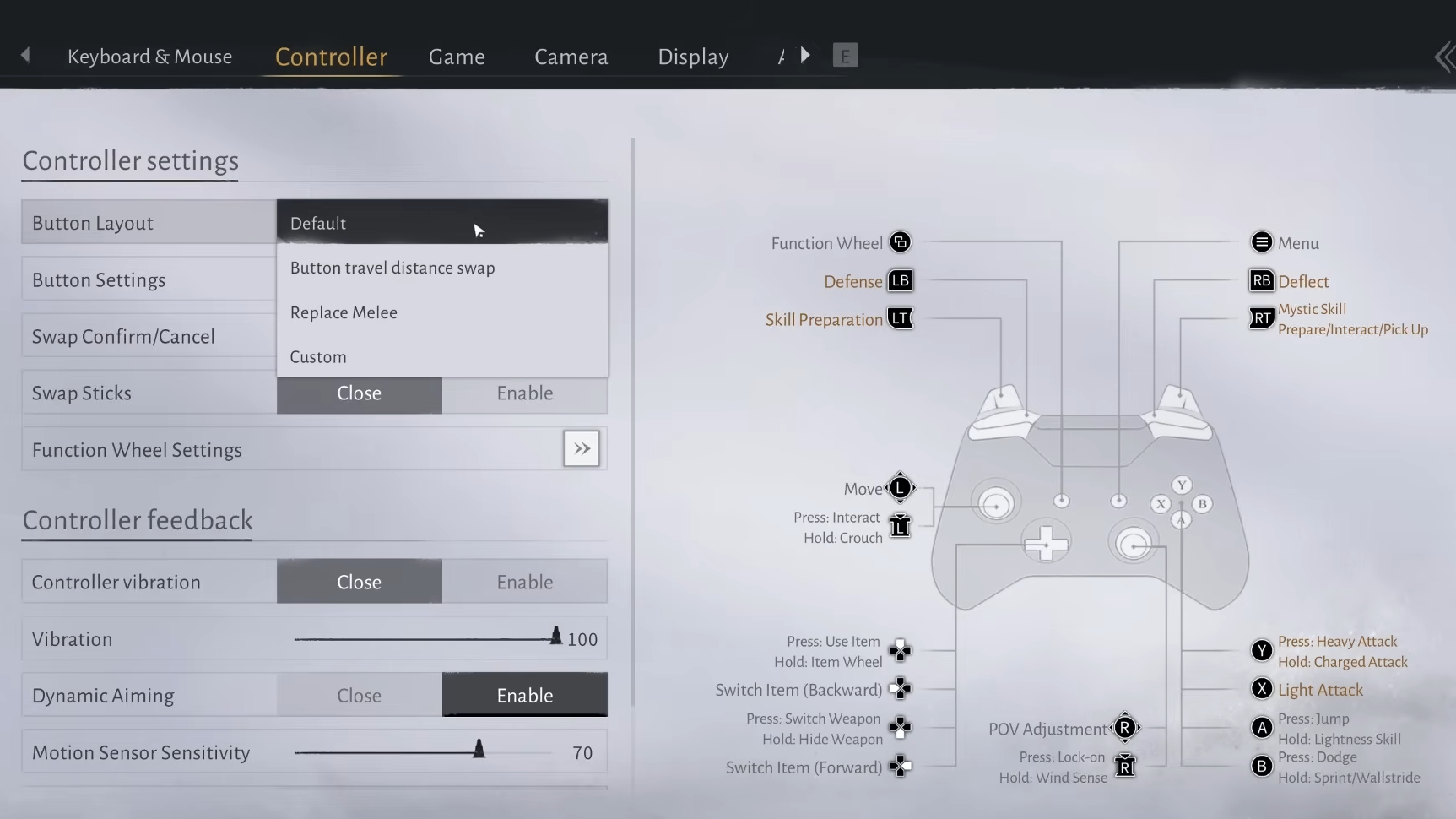
Lots of players think tweaking controller settings is all you need, but camera settings actually play a big role too. Camera sensitivity, for instance, can significantly change how fast you can switch targets during a fight. So, getting both your controller and camera settings right is important. You’ll find all the settings listed below.
Controller Settings
| Settings | Values |
|---|---|
| Button Layout | Button travel distance swap |
| Button Settings | Default |
| Swap Confirm/Cancel | Enable |
| Swap Sticks | Close |
| Function Wheel Settings | Default |
| Controller Vibration | Enable |
| Vibration | 35 |
| Dynamic Aiming | Close |
| Motion Sensor Sensitivity | 58 |
| Motion Sensor Rotation Mode | Blend |
| Invert Vertical Input for Motion | Close |
Camera Settings
| Settings | Values |
|---|---|
| Camera Zoom | Wide |
| Camera Direction Correction | Close |
| Grand Lightness Skill Camera | Free Camera |
| Horizontal View | 65 |
| Vertical View | 55 |
| Aim Camera Sensitivity – Horizontal | 70 |
| Aim Camera Sensitivity – Vertical | 50 |
| Invert Horizontal Camera | Close |
| Invert Vertical Camera | Close |
Conclusion
These settings are designed to make weapon switching, parrying, and combo execution smoother and more responsive. Parrying will be easier to time accurately, and we’ve adjusted the camera and viewing sensitivity for improved control. We’ve also lowered the vibration intensity to minimize distractions during fights. Overall, these changes should help you perform better in combat.
Read More
- Off Campus Season 1 Soundtrack Guide
- Euphoria Season 3’s New R-Rated Sydney Sweeney Scene Proves The Show Is Trolling Us
- Gold Rate Forecast
- DoorDash responds after customer uses AI to make food look bad and get a refund
- Jon Bernthal Explains Why Marvel Let Him Make The Darkest Punisher Story Ever
- Olympian Says Heated Rivalry Tugged At His Heartstrings
- All Golden Ball Locations in Yakuza Kiwami 3 & Dark Ties
- Dutton Ranch Review: Paramount+’s New Western Takes All The Best Parts Of Yellowstone & Makes Them Better
- ETH Holders Cash In: Is the Party Over, or Just Getting Started?
- Oh My God, It’s Her?
2025-11-15 19:08